
Buyers and Buy Boxes

Buyer Management and Real Estate Buy Boxes

Store buyer relationships and acquisition criteria in a structured system instead of rebuilding requirements from spreadsheets and message threads.

ReiSearch profile showing My BuyBox markets, deal flow, and the account-dependent Buyer funnel controls

Turn informal buyer preferences into structured, reviewable criteria.

Keep contact information, locations, deal type, property requirements, and strategy preferences connected to the buyer.

Add individual buyers or import a larger list with optional buy-box information.

Key capabilities

Explore the verified tools available in this workflow.

Buy boxes for the account owner or an existing buyer
Cash and Creative deal types with strategy-specific fields
Location, property type, price, year, bed, bath, square-footage, HOA, occupancy, rehab, exit-strategy, and condition criteria
Buyer creation, editing, search, table and grid views, and CSV import
Public buy-box funnel link, QR code, and funnel-page editing when configured
Multiple buy boxes associated with a buyer

Replace memory with structured criteria

A buyer saying “send me good deals in Texas” is not enough to make a useful match. ReiSearch records the location, deal type, property characteristics, pricing boundaries, condition tolerance, and intended exit so the criteria can be reviewed and updated.

Support your own strategy or a buyer relationship

Create a buy box for your own profile from the Dashboard, or add criteria to a buyer record. A buyer can have more than one buy box when they pursue different markets or strategies.

Collect criteria consistently

The buy-box workflow separates contact information, locations, and investment criteria. CSV import can create a buyer and, when the row contains buy-box fields, create an associated set of criteria.
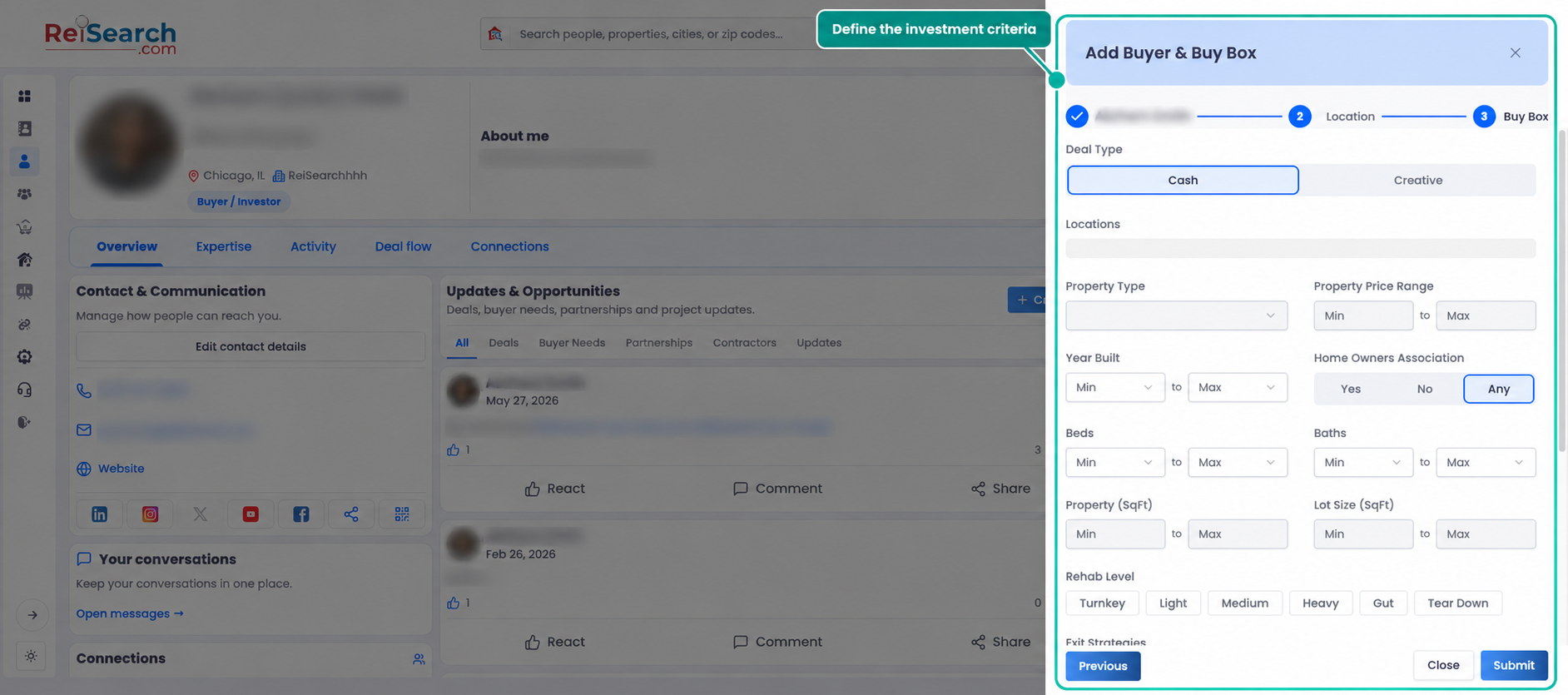
ReiSearch Add Buyer and Buy Box panel showing cash or creative deal type and structured acquisition criteria

The live workflow supports Cash and Creative criteria, including property, price, year, HOA, bed, bath, size, rehab, exit-strategy, occupancy, and condition preferences.

Manage buy boxes from the profile

The profile’s My BuyBox area groups criteria by market. The Buyer funnel section shows the next available action for the account. In the verified account, ReiSearch required a CRM connection before a public funnel could be generated.
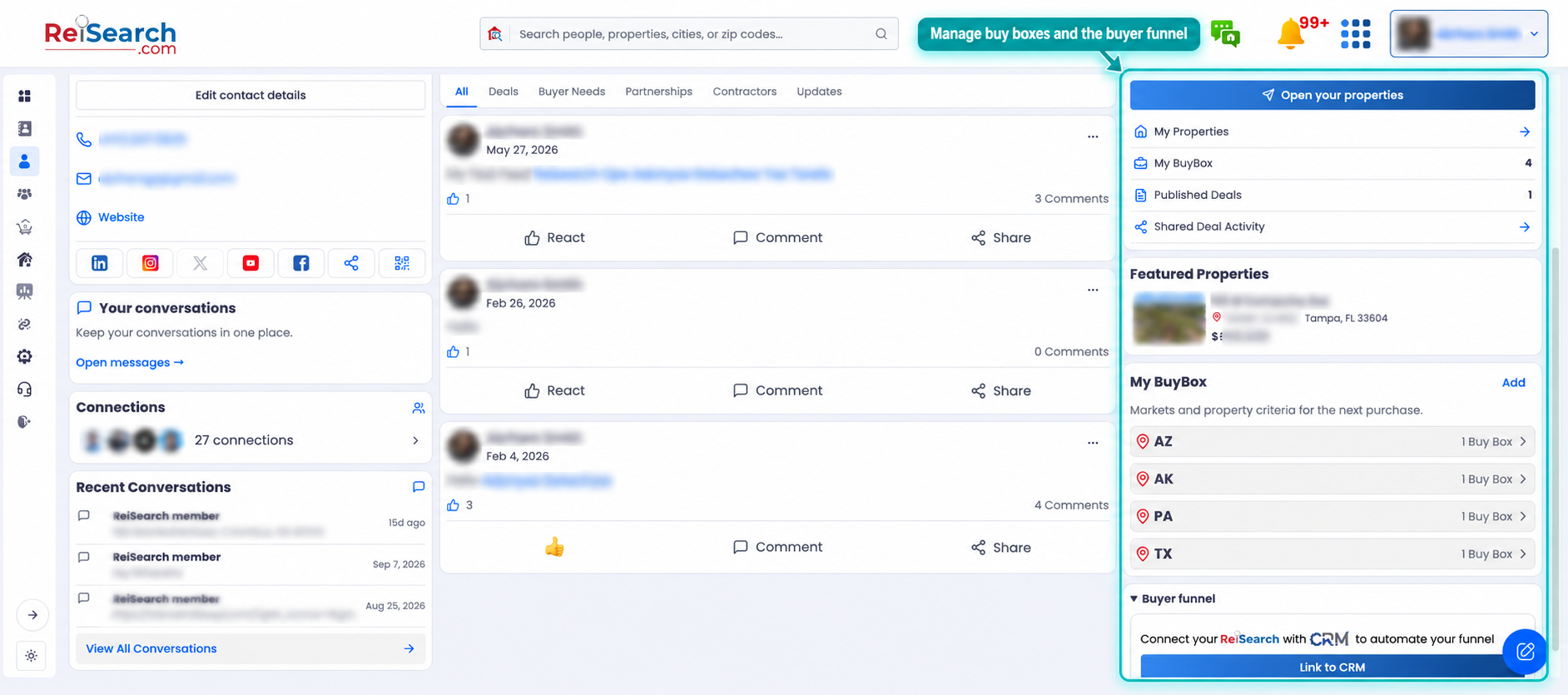
ReiSearch profile showing My BuyBox markets, deal flow, and the account-dependent Buyer funnel controls

Learn what a real estate buy box should contain or preview the Create and Share a Buy Box guide.