
Research once
Start with an address and organize available property facts, images, documents, notes, and deal details in one workspace.
Real estate deal intelligence · connected
ReiSearch replaces disconnected research tabs, comp sheets, calculators, messages, and presentation tools with one property-centered workspace.
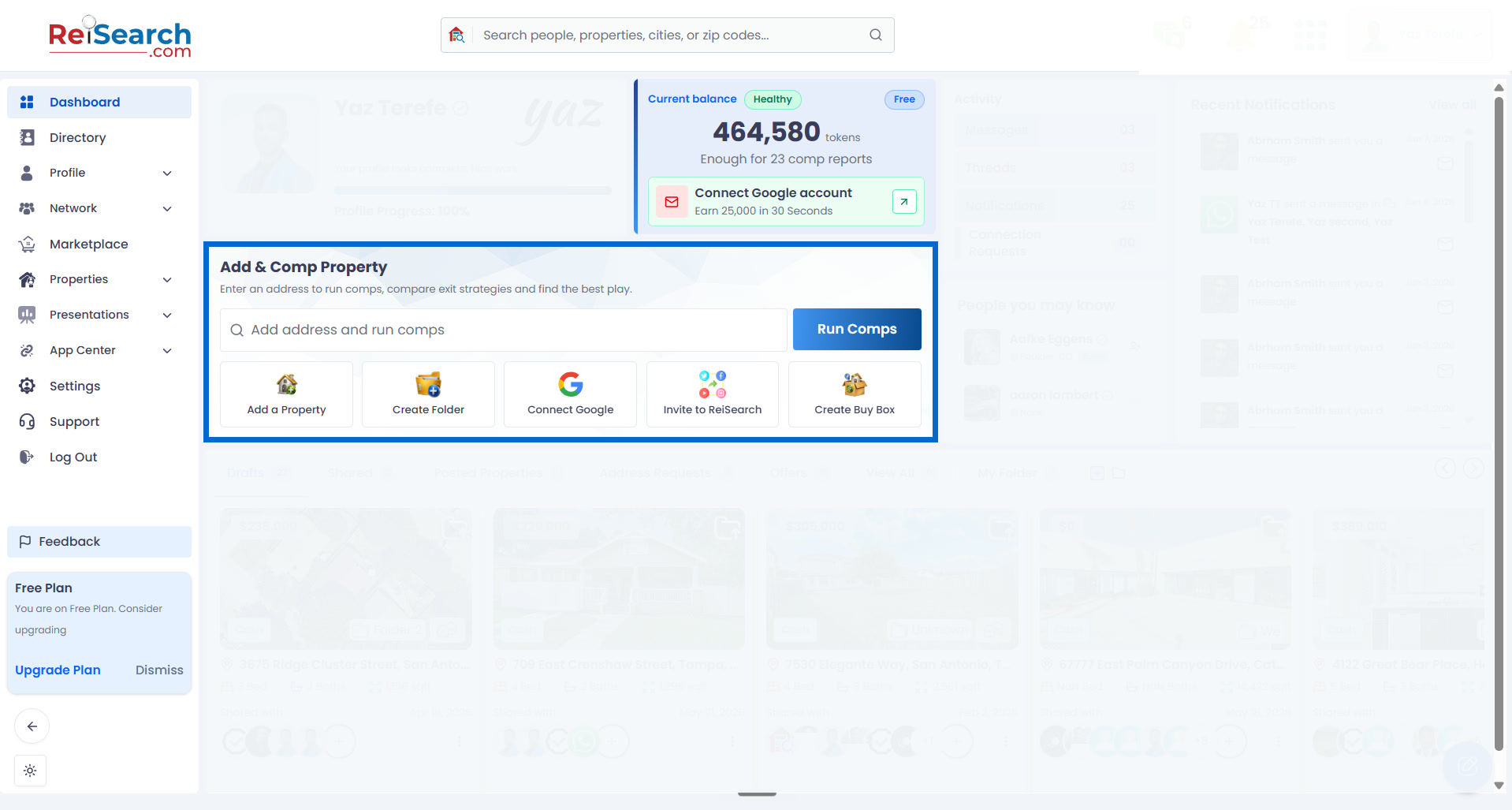
Create a workspace for the property you want to evaluate.
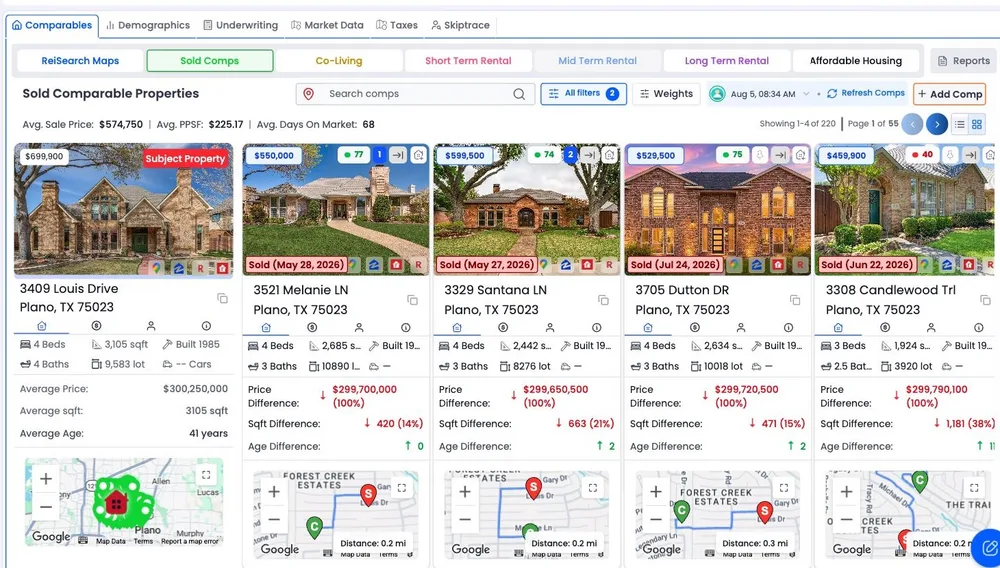
Compare nearby properties and understand your results.
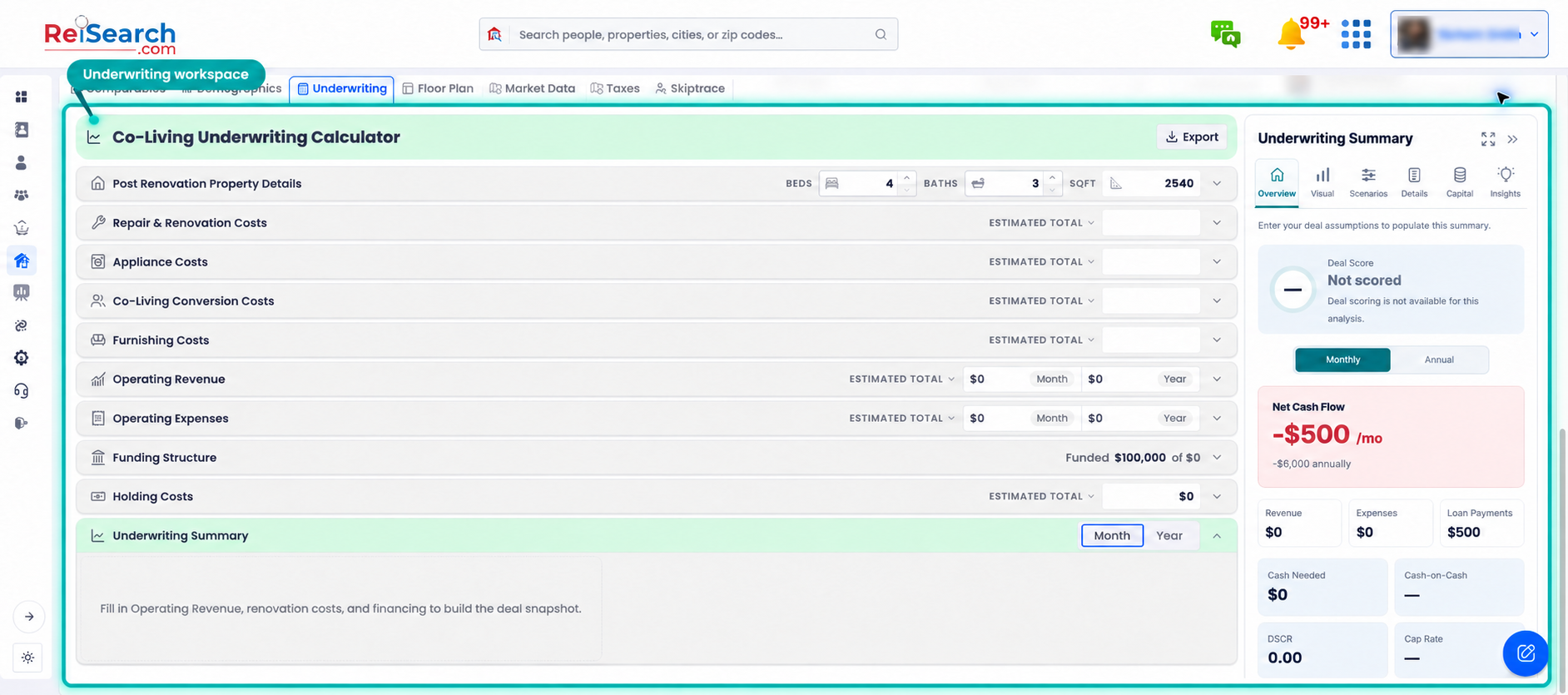
Work through assumptions, costs, and investment returns.
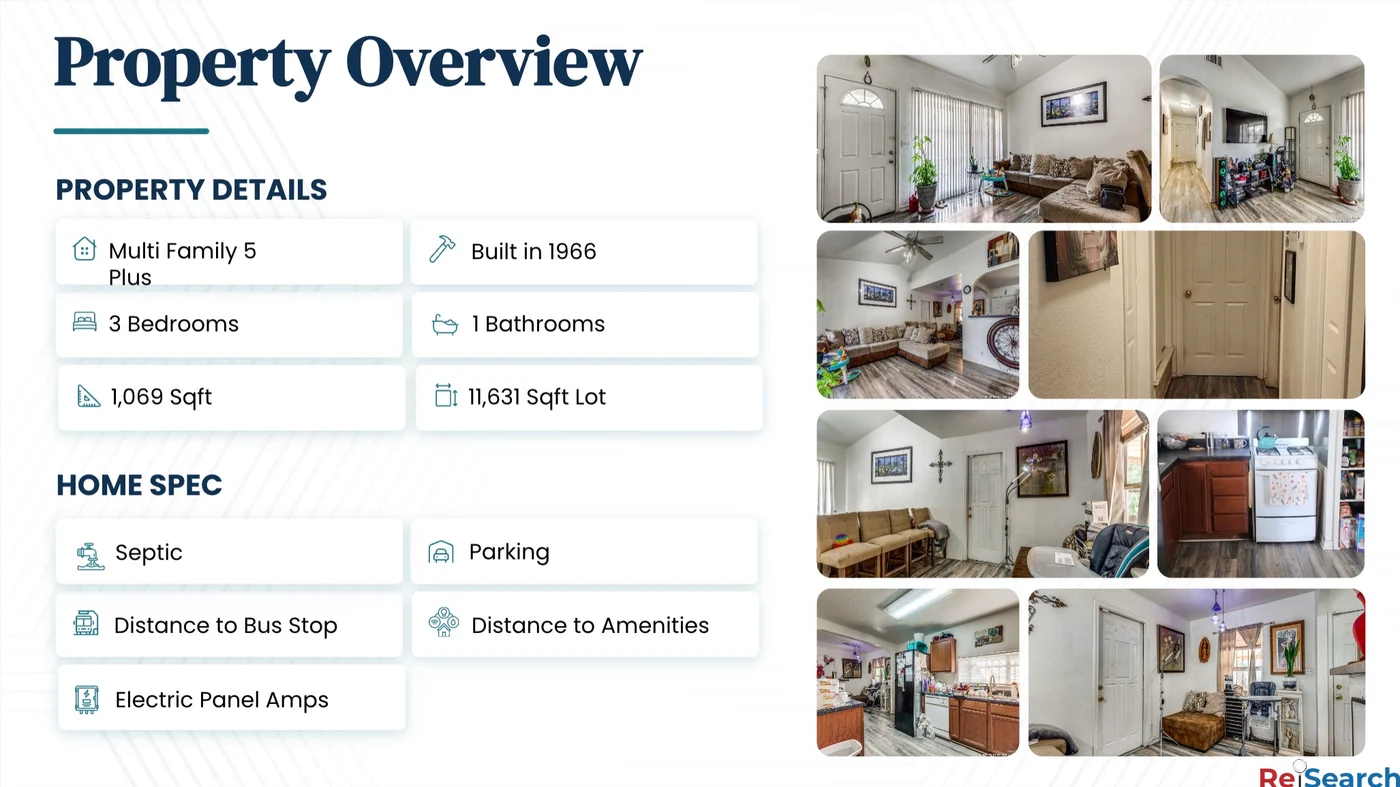
Turn your research into a presentation you can share.
The problem
Property research and deal work are often split across listing sites, public records, spreadsheets, calculators, image folders, documents, texts, and email. Every handoff creates another version of the same property—and another chance for context to disappear.
Explore the connected property workspace →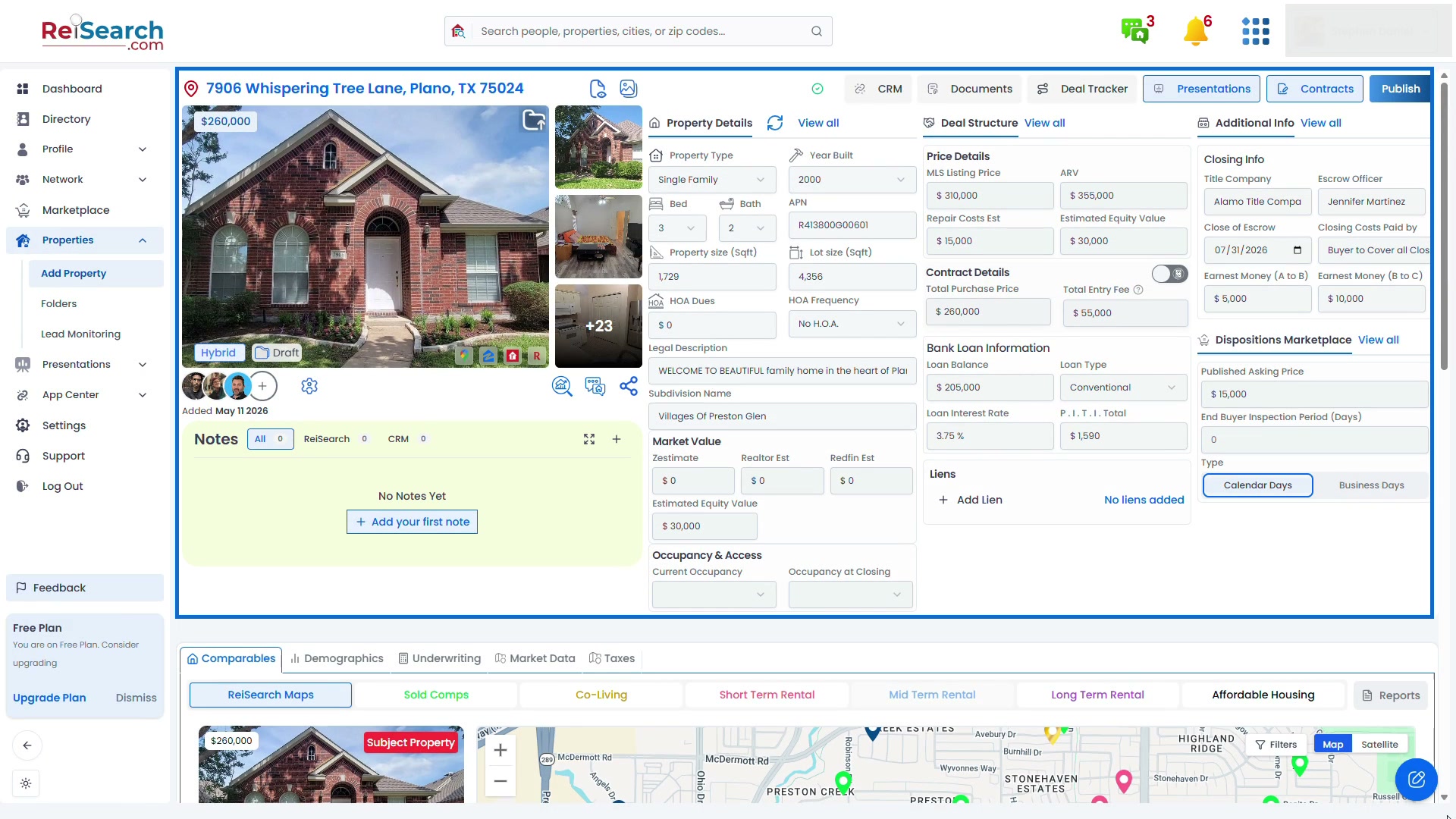
The ReiSearch approach
Add a property and let ReiSearch gather available information and images. The same workspace then supports comps, underwriting, deal structure, documents, notes, collaboration, presentations, and the next action—without starting over in another tool.
Start with an address and organize available property facts, images, documents, notes, and deal details in one workspace.
Run strategy-specific comps, filter weak matches, and control the ranking factors that matter to your analysis.
Keep deal structure, renovation assumptions, financing, operating performance, and returns connected to the evidence.
Bring partners and connections into the property instead of scattering decisions across separate messages and files.
Turn the work already completed into presentations, buyer conversations, marketplace activity, and ongoing monitoring.
How it works
Start on the Dashboard, then follow the same property through comparison, analysis, and presentation.
01Create a workspace for the property you want to evaluate.
Open guide →02Compare nearby properties and understand your results.
Open guide →03Work through assumptions, costs, and investment returns.
Open guide →04Turn your research into a presentation you can share.
Open guide →See it in action
Follow the Dashboard-to-property walkthrough, then try the same steps in your own workspace.
See where Add Property lives, select an address and deal structure, and review the property workspace ReiSearch creates.
Built for the people moving deals forward
ReiSearch keeps the property and the reasoning around it visible as work moves from one person to the next.
Evaluate opportunities with property evidence, comps, assumptions, and return summaries kept together.
Prepare a deal once, then carry consistent facts and terms into presentations, buyers, and marketplace distribution.
Share the property context, coordinate the work, and make decisions without losing the reasoning behind them.
Learn the platform
See the product value first, then open the practical guides for the task you need to complete.
Get unstuck
Start with the problem you see.
Check run status, credits, and subject-property details before retrying.
Find a solution →Distinguish an empty run from results hidden by search or filters.
Find a solution →Review source coverage and verify or correct the property record.
Find a solution →Common questions
Understand what ReiSearch connects and how a property moves through the platform.
ReiSearch is a property-centered real estate platform that connects property research, comparable-property analysis, underwriting, documents, collaboration, presentations, and deal workflows in one workspace.
ReiSearch supports investors, acquisition and disposition teams, wholesalers, agents, operators, and partners who need to research properties, evaluate opportunities, and coordinate deal work.
Start from the Dashboard with a property address. You can create the property for review or use Add & Comp Property to create the workspace and begin comparable-property analysis together.
Yes. ReiSearch keeps property facts, analysis, notes, files, and next actions connected to the property, and users can add connections with property-level permissions appropriate to their roles.
Still need help?
Find troubleshooting resources or connect with support for additional help.