
Start from the Dashboard
- Sign in at reisearch.com/login. ReiSearch opens the Dashboard.
- In Quick Actions, select Create Buy Box.
- Confirm that the buy-box workflow opens from your profile.
Navigation path: Dashboard → Create Buy Box
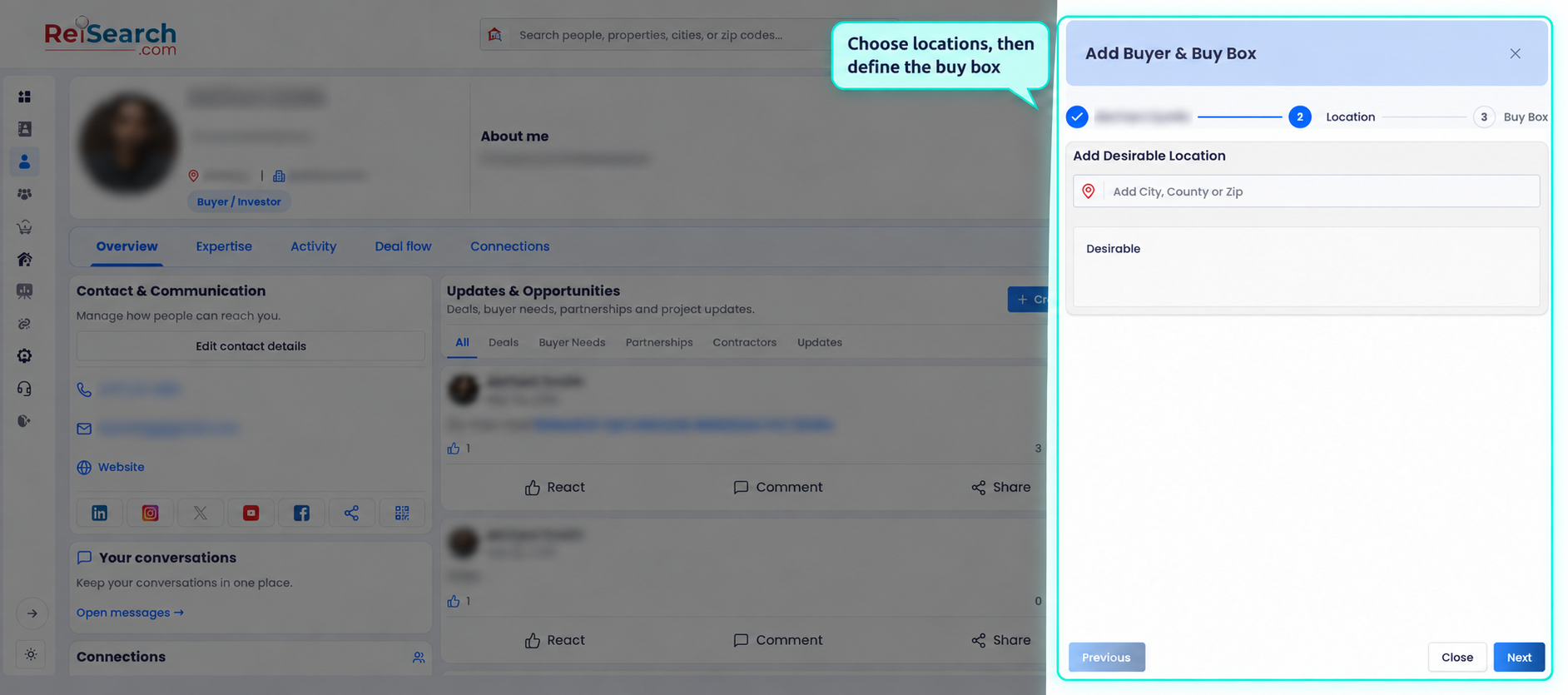
Add locations
Add the cities, states, ZIP codes, or counties that belong in this buy box. Use separate buy boxes when the criteria changes materially across markets or strategies.
Define the criteria
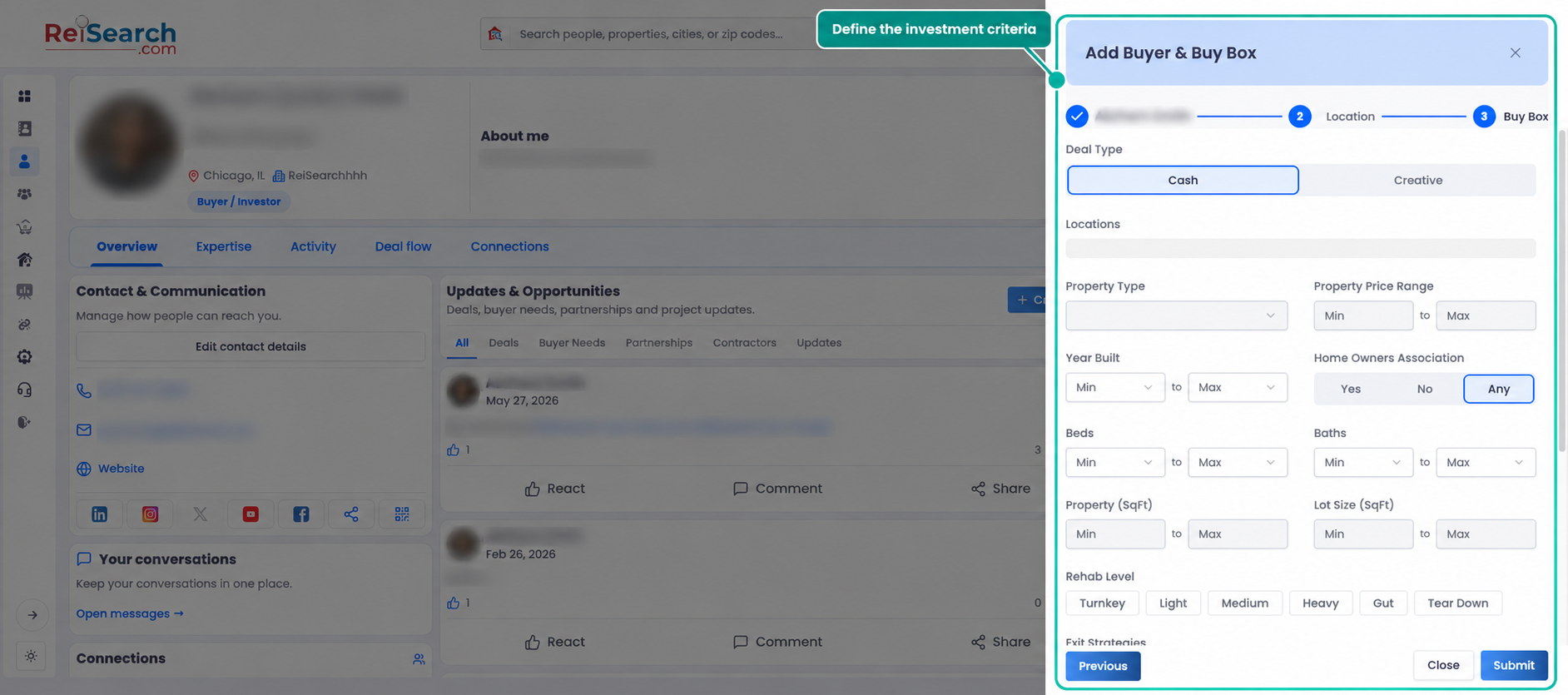
Choose the appropriate Cash or Creative deal type, then record the criteria relevant to the strategy. Available fields include property type, price, entry terms, year built, HOA, beds, baths, property and lot size, rehab level, exit strategies, occupancy, and property-condition tolerances.
Review the completed criteria before saving. Do not use zero to mean unknown, and do not mark a condition acceptable unless the buyer has confirmed it.
Understand the funnel controls
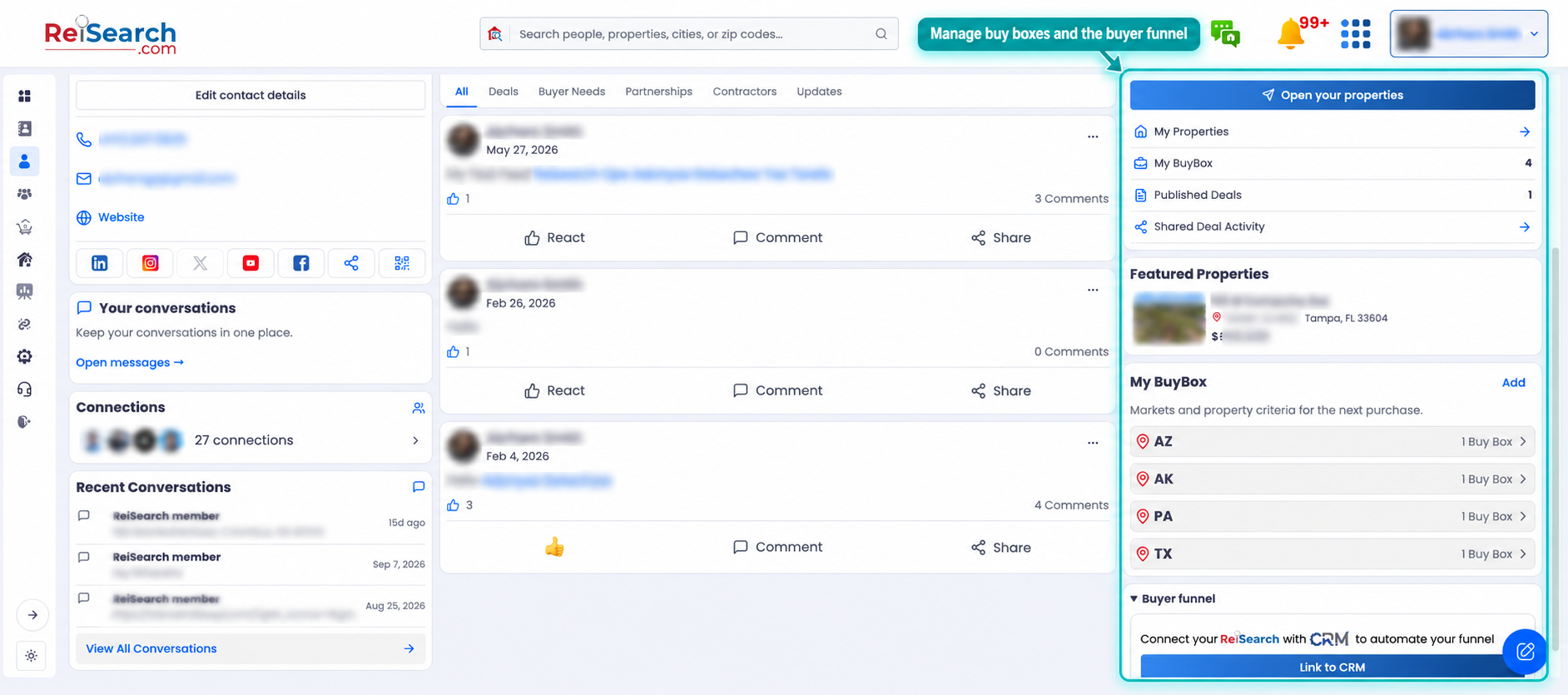
The profile can show a My Buybox Funnel Link area when the account is configured for it. Available controls can include generating or editing the funnel page, copying the public link, and downloading or viewing its QR code.
For an account without an existing funnel, ReiSearch can prompt the user to connect the supported CRM before generating the funnel. Do not promise a public link until the control is visible and configured in the account.
Confirm the result
Return to the profile and confirm that the buy box displays the intended locations and criteria. Open the public funnel link in a signed-out browser before sharing it, and verify what information a visitor can see and submit.
If something does not work
- Create Buy Box does not open: Return to the Dashboard and try the Quick Action once more.
- The wizard will not continue: Review required contact, location, and criteria fields.
- The funnel link is not available: Check the profile’s funnel section and the required connected-service configuration.
- The public page shows the wrong criteria: Edit the funnel or buy box, save, and verify the signed-out link again.
The buy-box creation steps were verified in the live product. Public funnel availability remains account-dependent and should be verified in a signed-out browser before the link is shared.