
Watch the changes that can affect a decision
A property can become more interesting when the price falls, a listing returns to market, days on market crosses a threshold, or another status changes. Deal Monitoring allows the user to define those signals and a check schedule for selected opportunities.
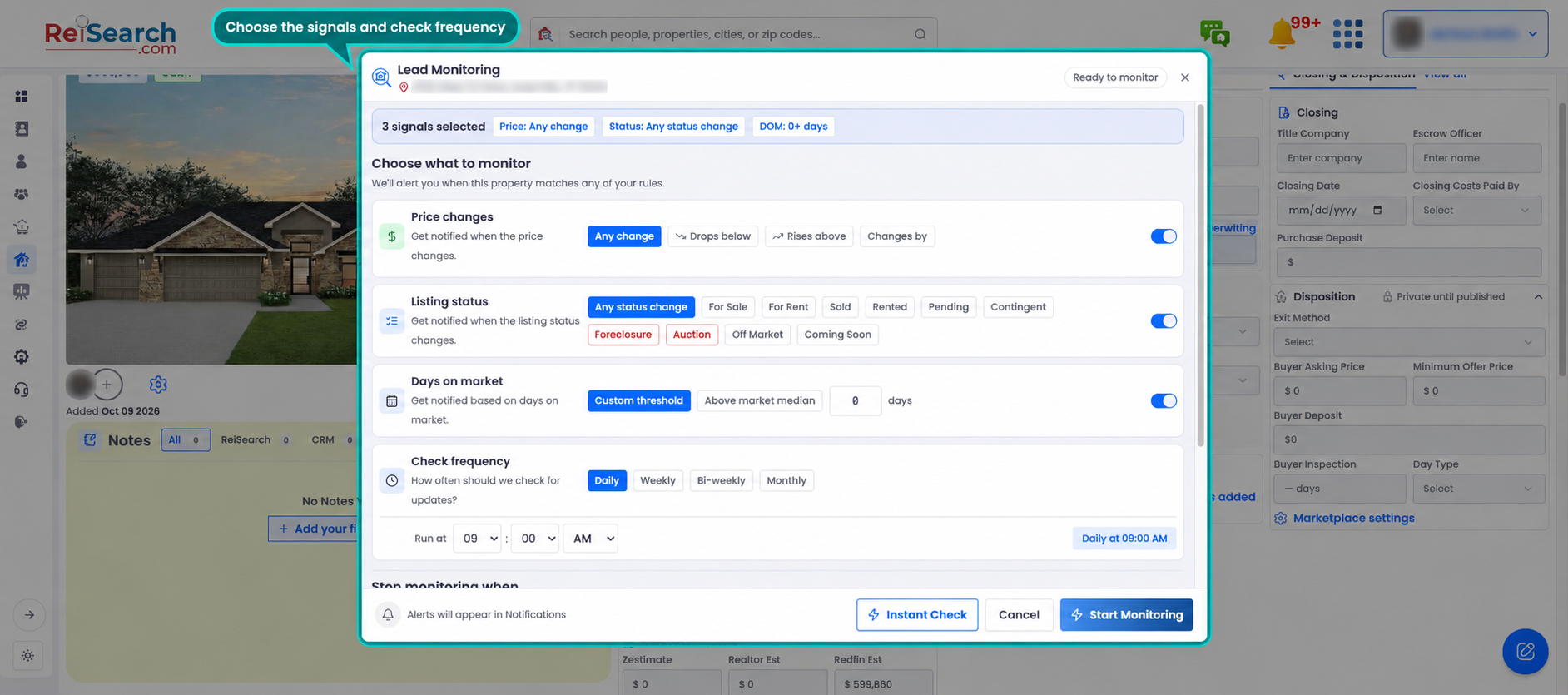
From the property workspace, select Lead Monitoring, choose the signals, set the check frequency, and review the stop conditions before starting the monitor.
Keep monitoring separate from property research
The property workspace stores the subject and the work around it. A monitor adds a recurring check for specified events. It does not replace current due diligence, direct communication with the parties, or verification from the authoritative listing and transaction sources.
Manage monitored opportunities
The monitoring dashboard can organize deals by ReiSearch, CRM, or Craimer source when those systems are connected. Users can search, filter active or inactive records, and pause, resume, edit, or remove a monitor.
The monitoring setup and its rule controls were verified in the live product without starting a new monitor. CRM default-schedule behavior is not described as complete because the product source identifies part of that path as interface-only.