
Start from the Dashboard
- Sign in at reisearch.com/login. ReiSearch opens the Dashboard.
- Open Properties in the left navigation.
- Find the property in your list and select its card.
- ReiSearch opens that property’s workspace.
Navigation path: Dashboard → Properties → Select a property
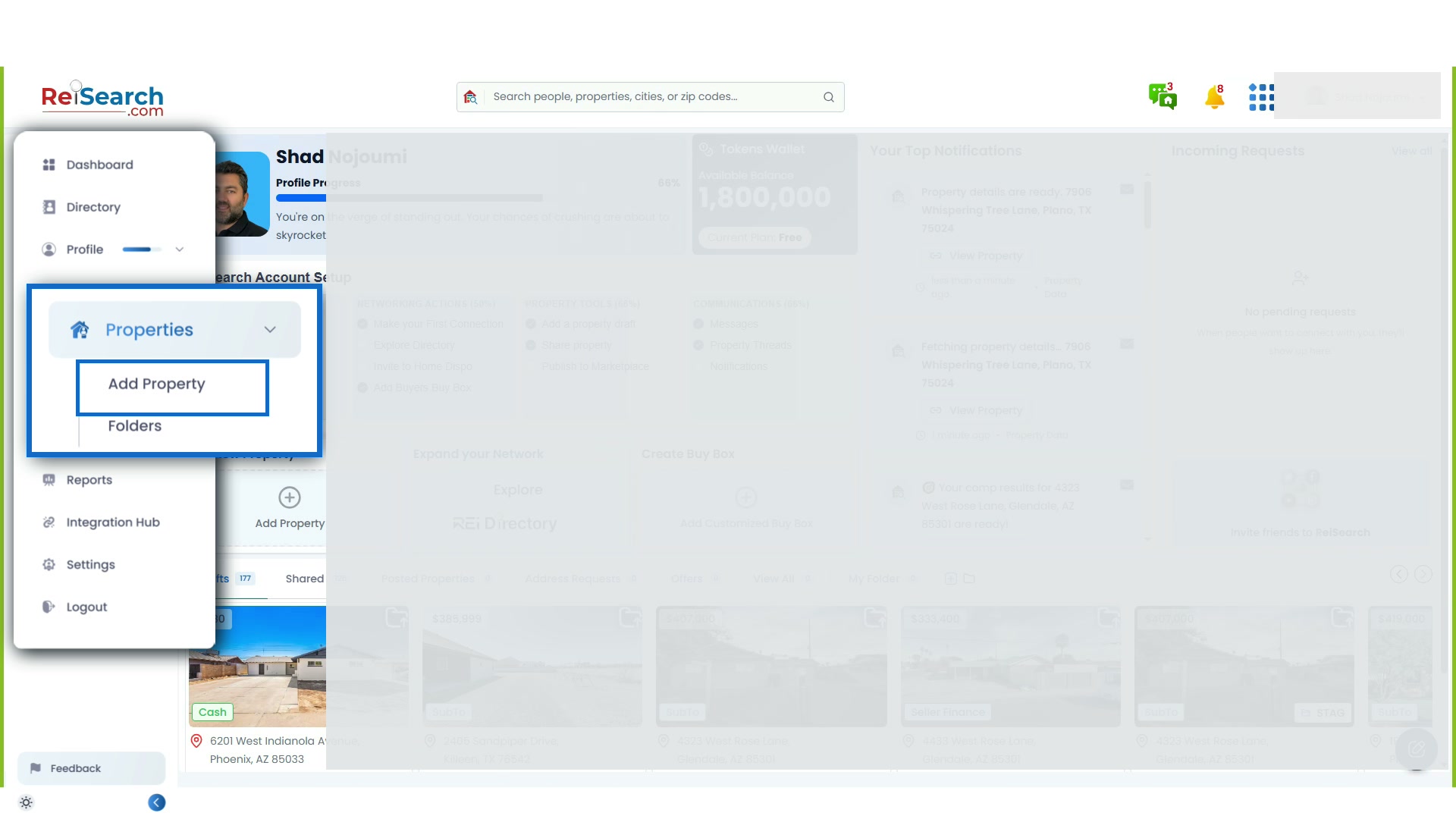
If the property is not in ReiSearch yet, choose Add Property and follow Add a Property in ReiSearch. If you want property creation and comping to start together, use Add & Comp Property on the Dashboard instead.
Why the workspace matters
Real estate work is usually scattered across listing sites, county records, spreadsheets, calculators, image folders, notes, texts, and email. That fragmentation forces people to repeat research and makes it hard to know which information is current.
ReiSearch treats the property as the center of the work. After an address is added, ReiSearch gathers the property information and images available from its sources, populates the record, and connects the deal’s research, analysis, content, and people to that same workspace.
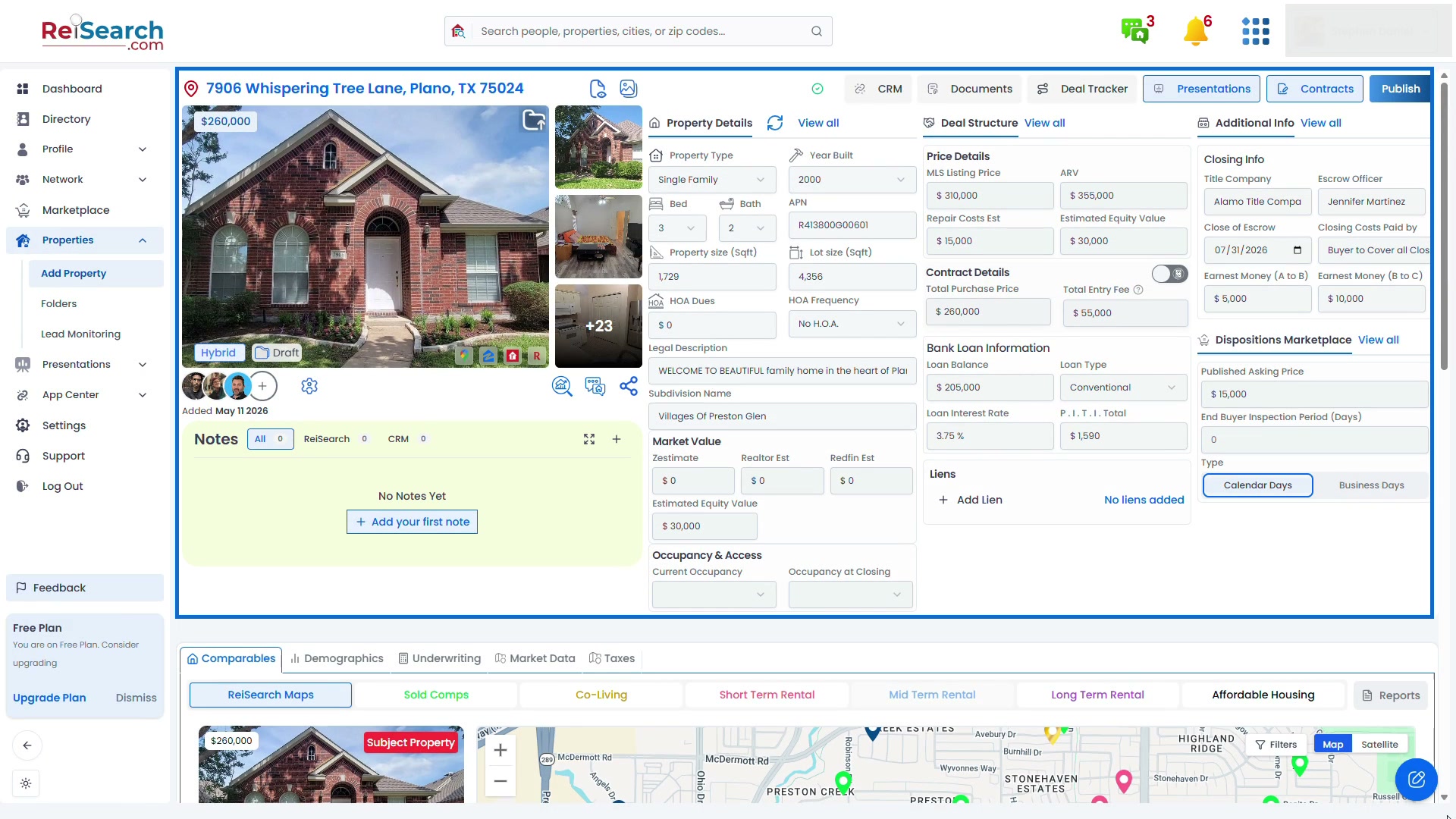
The full-page view keeps the Dashboard navigation and the property context visible, so you can see exactly where these tools live.
Review the automatically gathered property research
Begin with the subject property at the top of the workspace:
- Review the primary image and open the gallery to inspect the available photos.
- Confirm Property Details such as property type, year built, beds, baths, APN, building area, lot size, HOA information, legal description, and market-value estimates.
- Check the map and address before using the record for analysis or outreach.
- Correct missing or inaccurate fields when you have a better source.
ReiSearch reduces the time spent copying information into a new deal, but source availability varies. Treat automatically populated values as a research starting point and verify material facts before making an investment decision.
Keep the deal information beside the research
Use the workspace panels to keep operational information connected to the property:
- Deal Structure can hold pricing, repair estimates, contract details, financing information, and liens.
- Additional Info can hold closing, access, and walk-through details.
- Notes keeps ReiSearch and connected CRM notes in the property context.
- Documents, Deal Tracker, Presentations, and Contracts provide paths into the work produced around the deal.
- Dispositions Marketplace keeps the information used when preparing or publishing an opportunity.
The exact controls depend on the account, the property, and the user’s permissions. The important change is that the team no longer has to reconstruct the deal every time it moves to another stage.
Analyze the property without losing context
The lower workspace keeps analysis connected to the same subject property. Depending on the available product tools, you can move between:
- Comparables for sold, co-living, rental, and affordable-housing strategies
- Demographics for local market context
- Underwriting for strategy-specific deal calculations
- Market Data for broader property and area research
- Taxes for available tax information
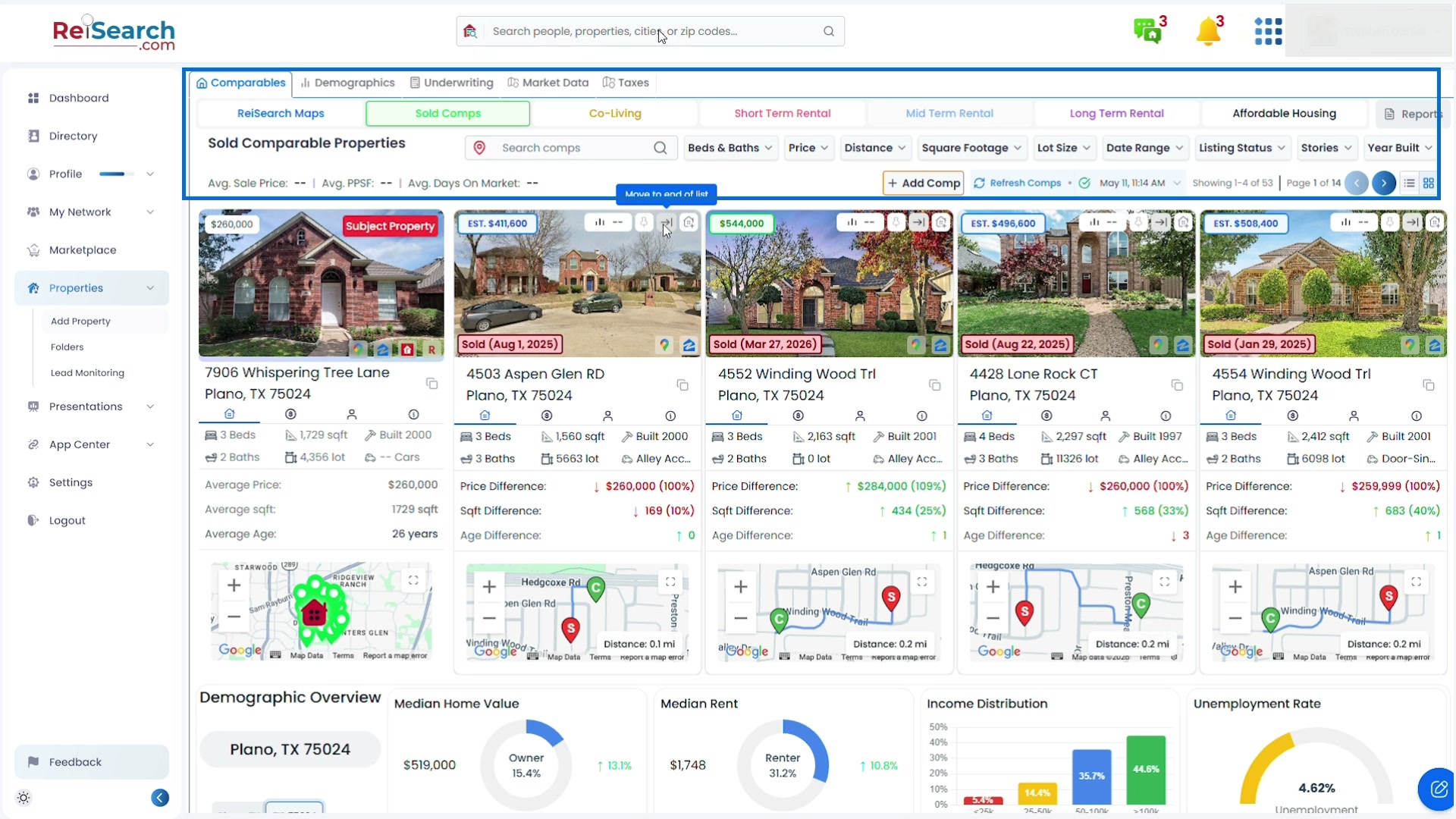
The property remains the subject of the analysis, so you can compare results without rebuilding the address, characteristics, or deal assumptions elsewhere.
Add the people working on the deal
- In the property summary, find the row of collaborator avatars below the main image.
- Select the + control.
- Search for and add an existing ReiSearch connection.
- Review that person’s property permissions before saving.
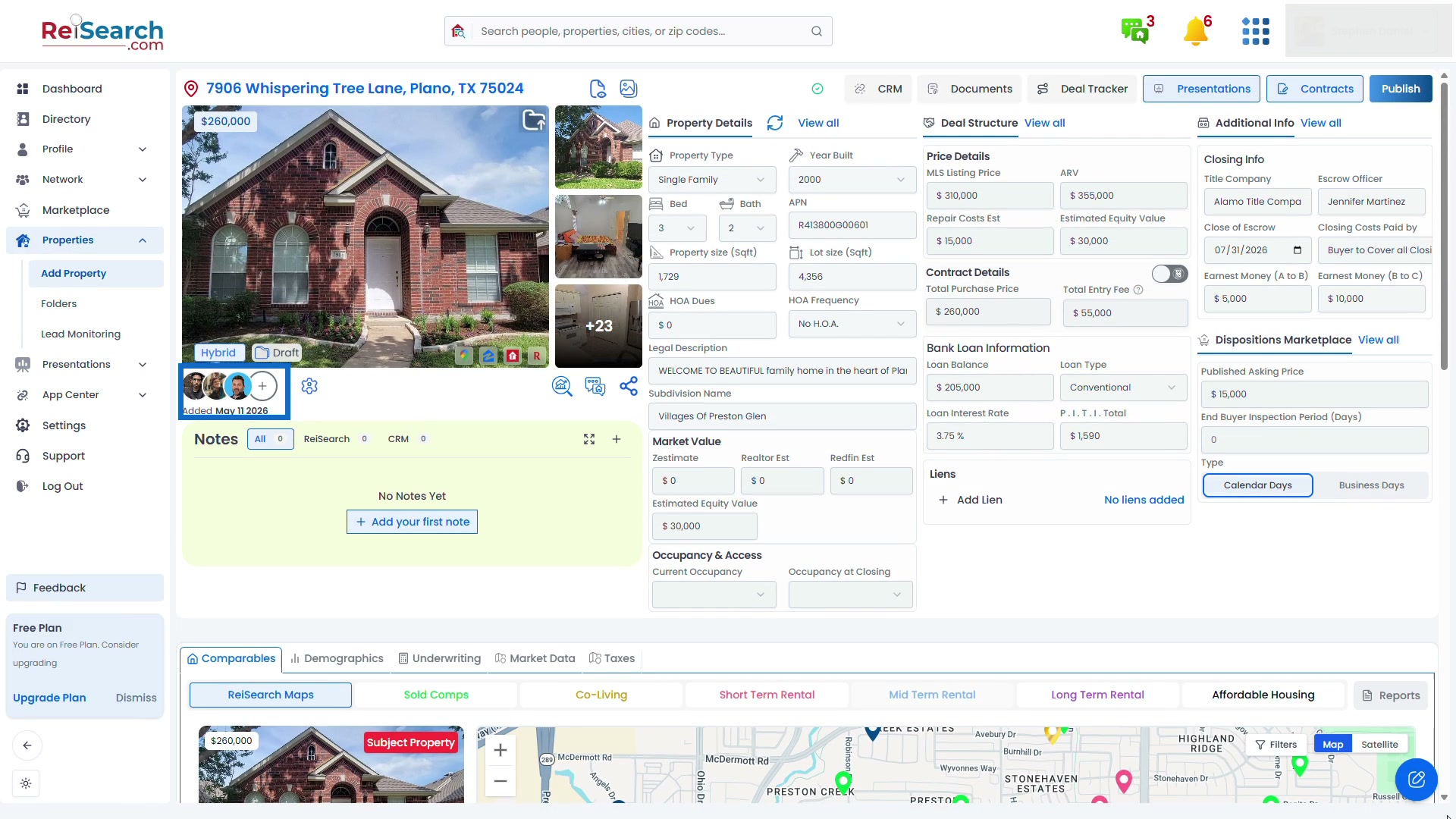
Property permissions can control abilities such as viewing or editing the property, seeing or accepting address requests and offers, adding another person, creating or viewing property threads, and managing permissions. Give each collaborator only the access needed for their role.
This turns the property workspace into a shared source of truth: partners, friends, buyers, lenders, and other connections can work from the same record instead of sending disconnected screenshots and spreadsheets back and forth.
Continue based on the next job
- To compare the subject with nearby properties, run your first real estate comp.
- To build shareable deal material, create a property presentation.
- To correct the subject property first, use Property Details, Deal Structure, and Additional Info before starting analysis.
- To bring another person into the work, add them from the collaborator row and confirm their permissions.
If something does not work
- A property does not appear: Return to Dashboard → Properties and confirm it was added successfully.
- Some fields are empty: The available data source may not contain that value. Add verified information manually.
- A collaborator cannot open or edit the property: Open the property members and review their permissions.
- You cannot add a person: Confirm that the person is already a ReiSearch connection and that your own role can add users to the deal.
- A tool or tab is missing: Availability can depend on the account, feature access, property state, or your permissions.