
One property, one place to do the work
Real estate professionals often start with an address and then recreate the same deal across research websites, spreadsheets, calculators, photo folders, PDFs, texts, and email. That creates repeated work and makes it difficult for everyone involved to know which information is current.
ReiSearch makes the property the center of the workflow. After a property is added, ReiSearch gathers the information and images available from its sources and prepares a workspace where the team can verify the property, organize the deal, analyze the opportunity, and continue into collaboration and marketing.
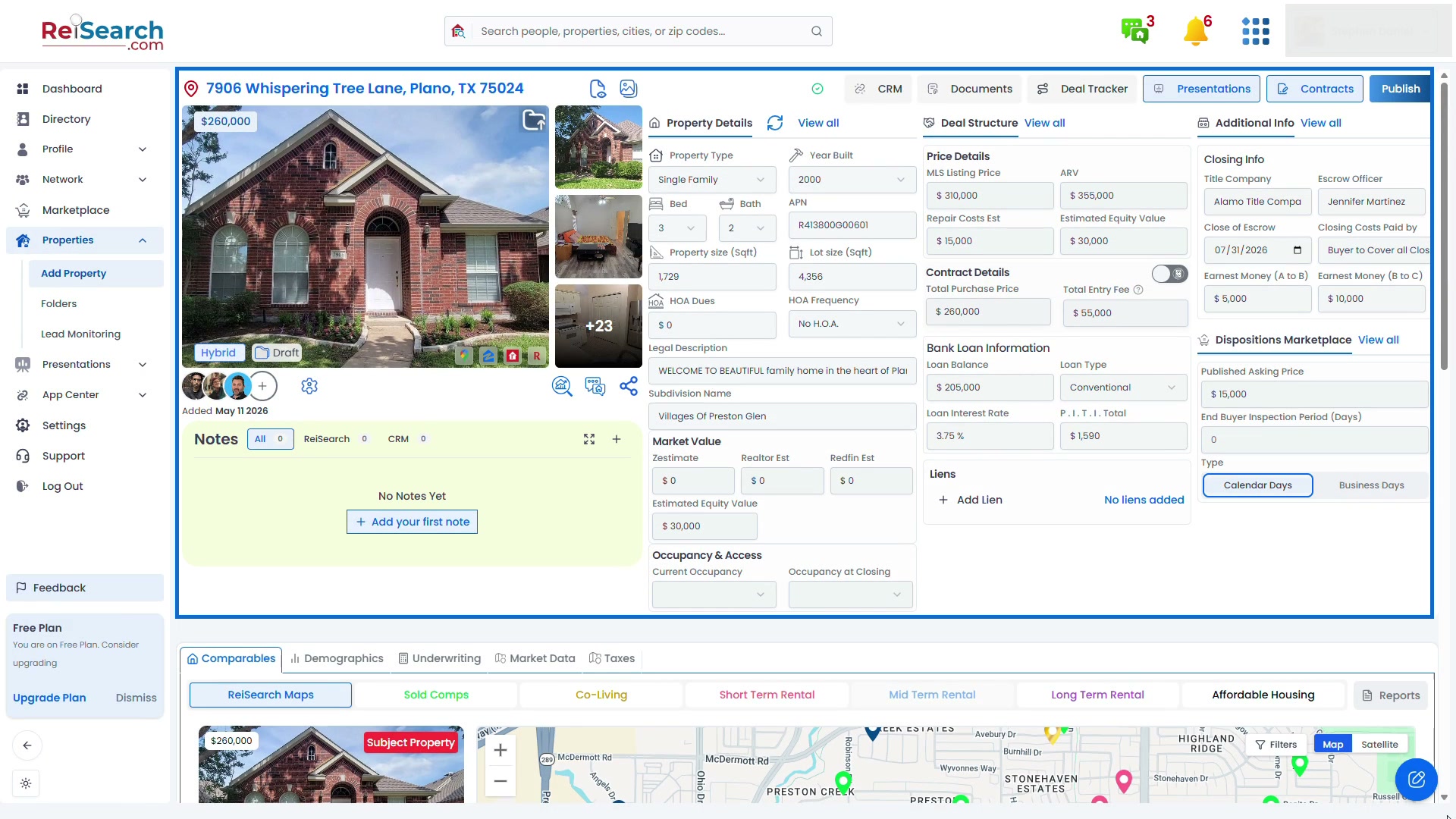
The full-page view preserves the navigation and property context so you can see where every part of the workflow lives.
How the property workspace works
- Start on the ReiSearch Dashboard.
- Add the property from Properties → Add Property, or use Add & Comp Property when you want ReiSearch to create the property and start comparable-property analysis together.
- Confirm the address and choose the relevant deal structure.
- Review the property information and images ReiSearch was able to gather.
- Add or correct verified deal information before relying on it for analysis or outreach.
- Continue into comps, underwriting, documents, presentations, collaboration, or distribution without rebuilding the property elsewhere.
Follow the dashboard-first property creation guide.
Research and verify the subject property
Use Property Details to review characteristics such as property type, year built, beds, baths, building area, lot size, APN, HOA information, legal description, and available value estimates. Open the gallery to inspect the property images and confirm that the map and address match the intended subject.
Automatically gathered information is a research starting point. Source coverage varies by property, so material facts should be checked and corrected before an acquisition, offer, presentation, or investment decision.
Keep deal information beside the research
The workspace keeps operational information connected to the same property:
- Deal Structure for pricing, repair estimates, contract terms, financing information, and liens
- Additional Info for closing, access, and walk-through details
- Notes for property-specific context, including available connected-CRM notes
- Documents, Contracts, Presentations, and Deal Tracker for the work produced around the deal
- Dispositions Marketplace for preparing the opportunity for distribution
The available controls can depend on the account, property, and user permissions.
Analyze the opportunity without rebuilding it
The analysis area keeps the subject property connected to the decision:
- Comparables for sold, rental, co-living, and other available comp strategies
- Demographics for local context
- Underwriting for strategy-specific deal assumptions and calculations
- Market Data for available property and area research
- Taxes for available tax information
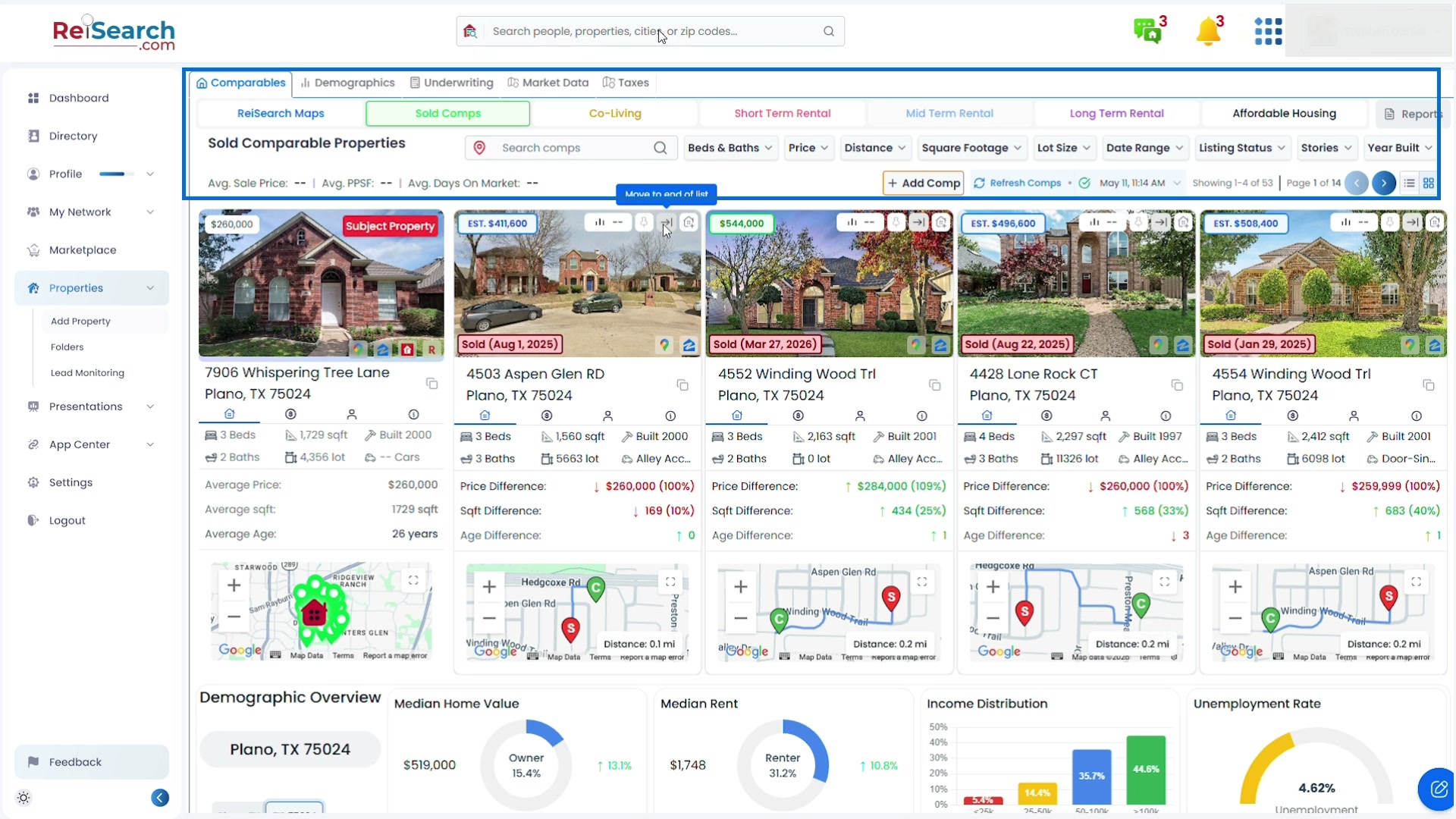
The subject property stays visible while the analysis changes, helping users compare evidence without recreating the deal in another tool.
Bring the right people into the deal
Add ReiSearch connections from the collaborator row and give each person only the access needed for their role. Property permissions can cover viewing or editing the property, working with address requests and offers, adding another person, using property threads, and managing permissions.
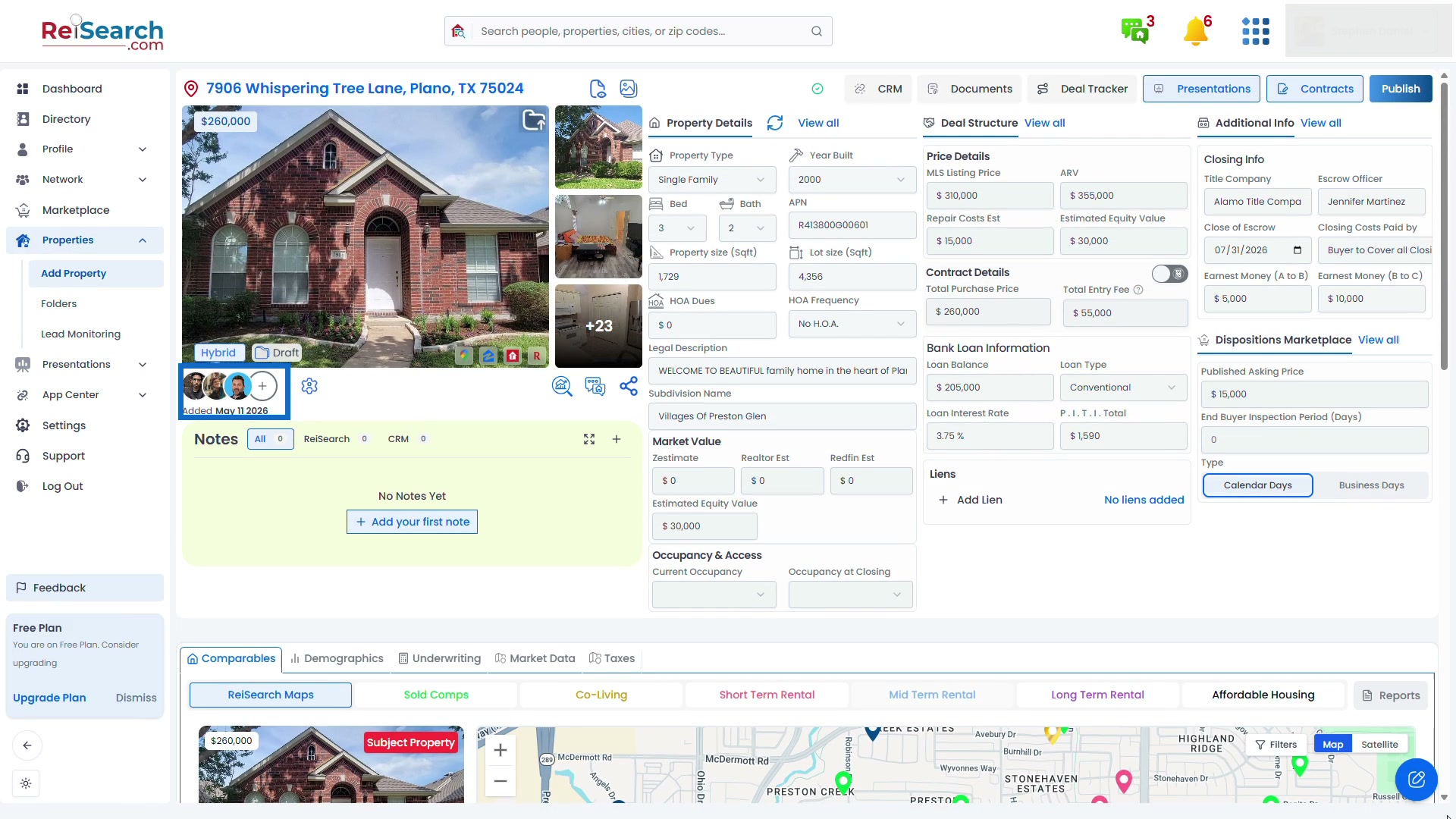
This gives partners, friends, buyers, lenders, agents, and other connections a shared property context instead of forcing everyone to reconstruct the opportunity from disconnected screenshots and spreadsheets.
When to use the workspace
Use the property workspace when you need to:
- Research a newly discovered property
- Organize the information behind a potential acquisition
- Compare the subject with nearby or strategy-specific properties
- Evaluate multiple investment approaches
- Coordinate work with another person
- Build a property presentation or distribution package
- Preserve the research and decisions connected to the deal
See the complete Property Workspace tutorial, run your first comp, or create a property presentation.