
Move from analysis to distribution without rebuilding the deal
Disposition work often starts after the research has already been done somewhere else. The team then recreates the property facts, pricing, photos, comps, inspection terms, closing information, and buyer-facing documents in a separate marketing package. Each copy creates another opportunity for the deal to drift.
ReiSearch keeps disposition preparation inside the property workspace. The same record used for property research, comps, underwriting, documents, and collaboration becomes the source for the publishing review.
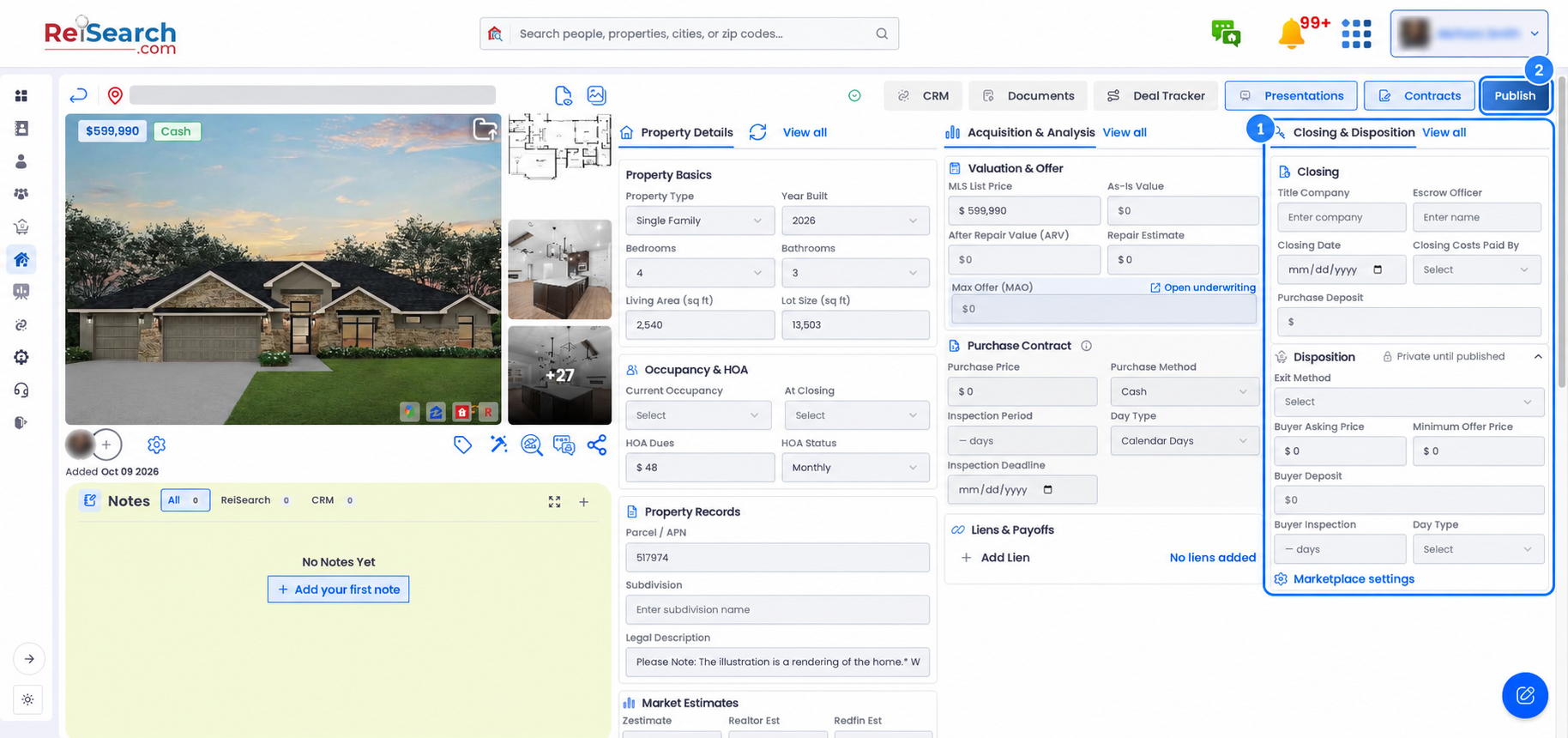
Prepare the buyer-facing terms
The Closing & Disposition area keeps the operational terms beside the acquisition assumptions. Depending on the deal, users can define the exit method, buyer asking price, minimum offer price, buyer deposit, buyer inspection period, and day type.
The ReiSearch Dispo Marketplace editor adds the listing-specific terms used in the publishing review, including published asking price, buy-it-now price, minimum offer price, inspection timing, current occupancy, and occupancy at closing.
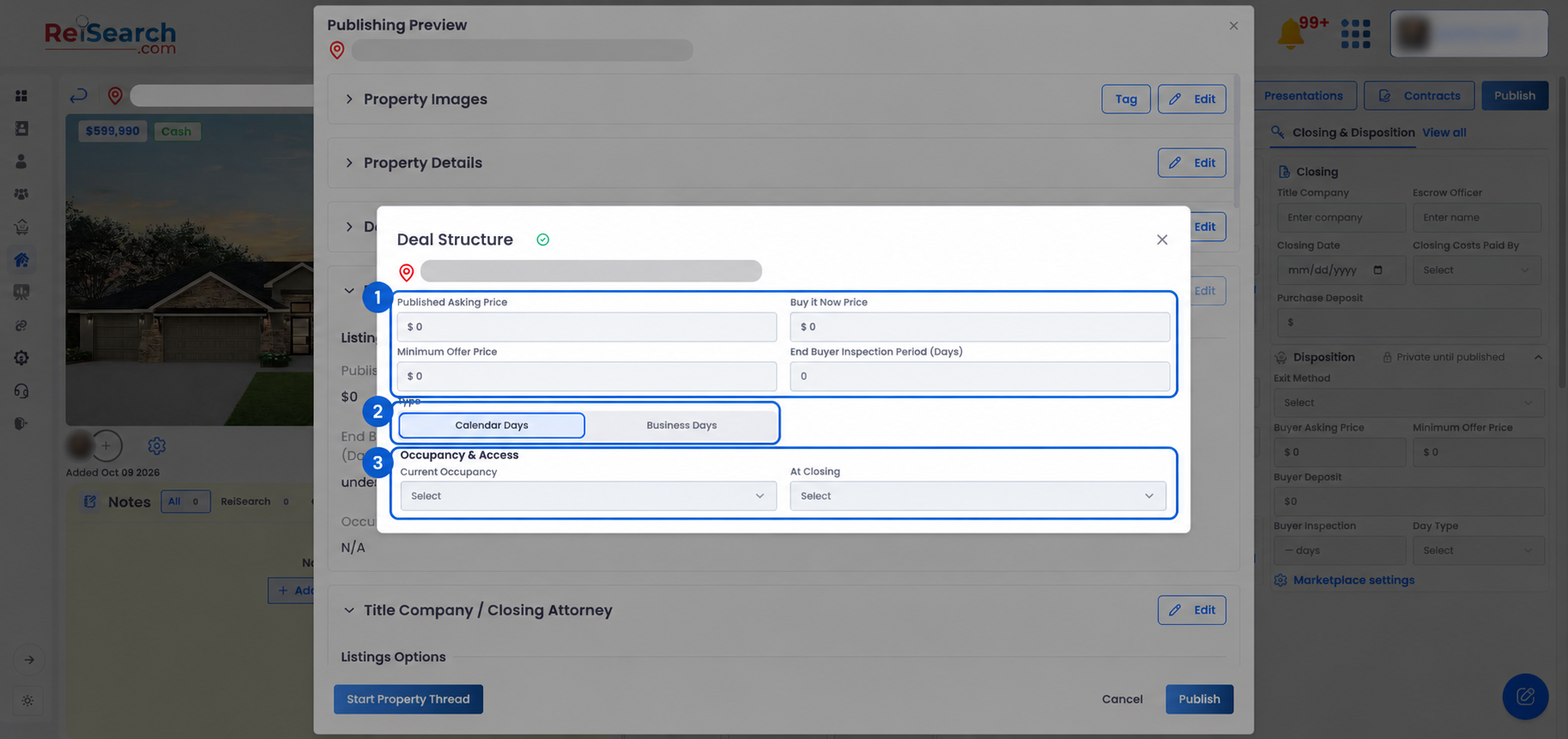
Review the complete opportunity before it becomes public
Selecting Publish first opens a Publishing Preview. The preview brings together property images, property details, deal structure, marketplace terms, title or closing information, additional property information, available comp and market sections, demographics, and redacted or public documents.
This gives the publisher a final opportunity to check what supports the deal and remove buyer-facing material that should not be included. ReiSearch shows the property as Private until published in the workspace.
Keep marketplace activity connected to the work
After publication, the Dashboard provides dedicated views for Posted Properties, Address Requests, and Offers. That keeps distribution activity close to the property record and the people collaborating on it instead of separating buyer interest from the underlying research.
The publishing preview and its marketplace controls were verified in the live product without accepting the agreement or publishing a property. Users should read the current agreement in their account because it defines the posting destination, the publisher’s authority and responsibilities, and the communications consent associated with publication.