
Find the comps that fit your real estate strategy.
Run property comps, compare results across multiple strategies, refine matches, and rank comparables around what matters to your analysis.
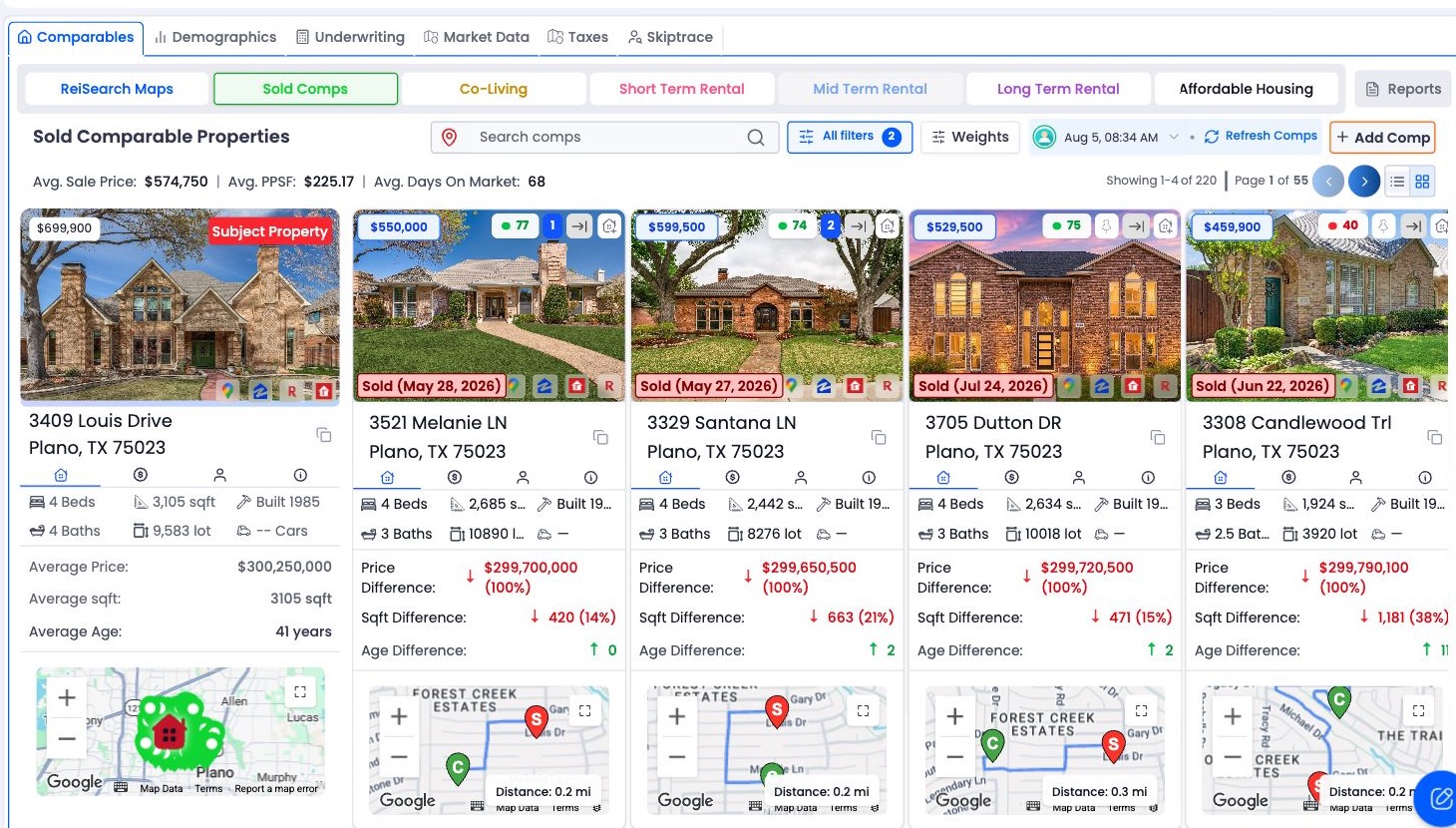
Compare sold, co-living, short-term rental, long-term rental, and affordable-housing opportunities from one property workspace.
Refine the result set with search, distance, price, property-characteristic, status, and date controls.
Control the relative importance and tolerance of individual ranking criteria for each comp type.
A complete comping workflow
Move from the subject property to a focused comp set.
Open a property
Start inside the property you want to analyze.
Run the comps
Choose the comparison type and start the analysis.
Refine the results
Filter, sort, pin, and rank the strongest matches.
See the complete ReiSearch comping workflow
Follow a property from its first comp run through strategy selection, filtering, mapping, and final comparable-property review.
Everything you can control
Compare, refine, rank, and organize results without leaving the property workspace.
Learn comping in ReiSearch
10 focused guides cover the complete workflow.
Add, pin, and organize comparable properties
Add a specific property to a comp run, pin the strongest matches, move weak results back, and understand how those actions affect summaries.
5 min readChoose the right comp type for your strategy
Understand the comparable-property types available in ReiSearch and select the result set that matches the question you are evaluating.
5 min readCustomize comp ranking weights and tolerances
Configure how ReiSearch ranks comparable properties by changing criterion weights and tolerances for each comp type.
7 min readManage comp runs, history, refreshes, and cancellations
Review historical comp runs, switch snapshots, refresh comparable properties, and understand queued, running, stopped, and failed runs.
5 min readRun your first real estate comp
Open a property, choose the appropriate comparable-property type, start a comp run, and understand what happens while results are generated.
5 min readCommon questions
Frequently asked questions
Answers to the questions real estate professionals ask before running or evaluating comps in ReiSearch.
What is real estate comping software used for?
Real estate comping software helps users compare a subject property with relevant sold or rental properties, refine weak matches, and organize the evidence used in valuation and investment analysis.
What types of comps can ReiSearch analyze?
ReiSearch supports Sold Comps, Co-Living, Short Term Rental, Long Term Rental, and Affordable Housing workflows, subject to account access and available property data.
Can I control how comparable properties are ranked?
Yes. ReiSearch provides ranking weights and tolerances for factors such as distance, size, beds, baths, year built, price, lot size, price per square foot, and days on market.
Does a high comp score guarantee that a property is comparable?
No. A score helps organize the result set according to selected criteria, but users should still inspect the property facts, location, condition, sale or rental context, filters, and source data before relying on a comp.