
Available filters
The comps filter bar combines an address search with property and market controls:
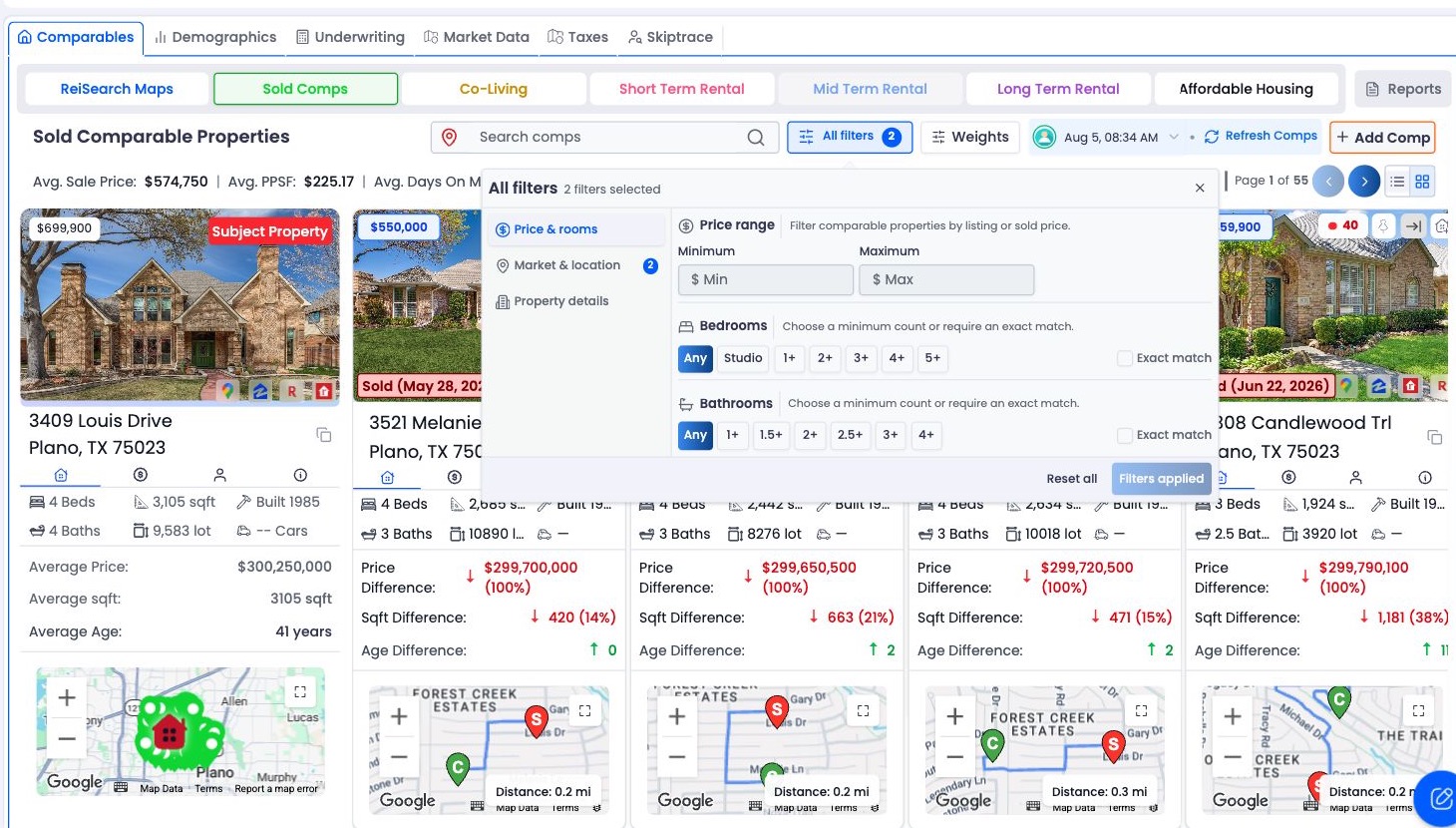
Select All filters to open the complete set of property and market controls without leaving the comp results.
| Filter | What it narrows |
|---|---|
| Search comps | Finds matching comp addresses. |
| Beds and Baths | Uses exact or range-based bedroom and bathroom criteria. |
| Price | Keeps properties inside a price range. |
| Distance | Limits results by miles from the subject property. |
| Square Feet | Filters living area by minimum and maximum. |
| Lot Square Feet | Filters lot area by minimum and maximum. |
| Sold Date | Limits Sold Comps by sale-date range. |
| Listing Status | Limits eligible statuses for Sold Comps or Co-Living. |
| Stories | Matches a selected story count. |
| Year Built | Limits results by construction-year range. |
Know the starting defaults
For Sold Comps, ReiSearch begins with Sold as the selected listing status and initializes the sold-date range to the previous six months. The distance filter begins with a maximum of 20 miles.
These are working defaults, not universal comping rules. Adjust them when market density, property type, or investment strategy requires a different range.
Search by address
Enter part of a comp address in Search comps. Search is debounced briefly so the list is not recalculated for every keystroke. Use Clear to remove the text query.
Apply location and size controls
Distance is calculated from the subject and comp coordinates when they are available. A result without usable coordinates cannot satisfy the distance calculation and may be excluded.
Use square-foot and lot-size ranges separately. A property can match the living area while having a very different lot, so both filters may matter.
Use status and date filters correctly
Sold-date filtering appears for Sold Comps. Listing-status filtering appears for Sold Comps and Co-Living, with different status choices for each.
Co-Living status options include Fully Booked, Active, and Coming Soon. Sold Comps can use broader listing states such as Sold, Active, Pending, Contingent, Under Contract, Foreclosure, and Off Market.
When filters return no results
The message No comps match your current search or filters means the run contains comps, but the current controls exclude them.
Remove filters one at a time, starting with the most restrictive:
- Clear address search.
- Expand distance.
- Remove exact bed or bath matching.
- Expand price, living-area, lot-size, or year-built ranges.
- Broaden sold dates or listing statuses.
Filtering changes the visible set; it does not generate a new comp run.