
Default permissions are a template: they decide what access new members get when they’re added, and what access applies to future subfolders and properties. Set them once and every new collaborator starts from the same baseline.
Start from the Dashboard
-
Sign in to ReiSearch and open the Dashboard.
-
Select Folders from the left navigation.
-
Find the folder, open its ⋯ menu, and choose Manage Default Permissions.
Set default access
-
Open the folder’s ⋯ menu and choose “Manage Default Permissions.”
-
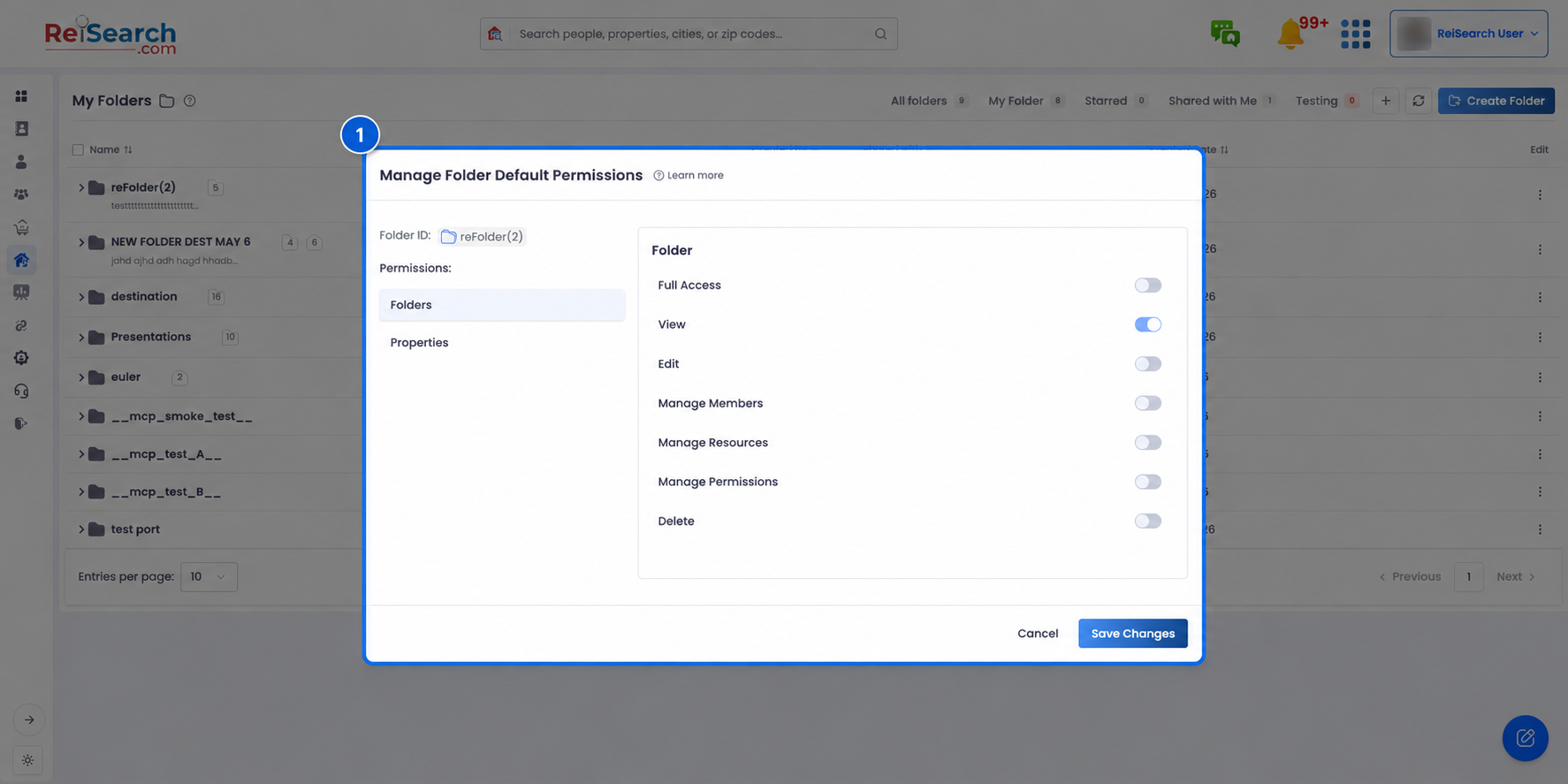
In “Manage Folder Default Permissions,” use the Folders tab for access to subfolders and the Properties tab for access to properties added later.
-
Toggle Full Access, or switch on individual permissions. View stays on by default.
-
Click Save Changes.
Note: Defaults apply going forward — to members you add after setting them and to items added later, including subfolders. They don’t rewrite access you’ve already granted to existing members, which you can still fine-tune per person in Share a folder & add members.