
Folders let you group properties into tidy, shareable collections — think “Hot Deals”, “Under Contract”, or a folder per buyer. Open them from the Folders entry in the left navigation. Everything you organize here stays in sync across your devices and with anyone you share a folder with.
Start from the Dashboard
-
Sign in to ReiSearch and open the Dashboard.
-
In the left navigation, select Folders. The My Folders workspace opens with its view tabs, category tabs, and folder list.
The four folder views
Across the top of the Folders page is a row of tabs. The first four are views — each one filters the same set of folders a different way. A small count chip on each tab shows how many folders it holds.
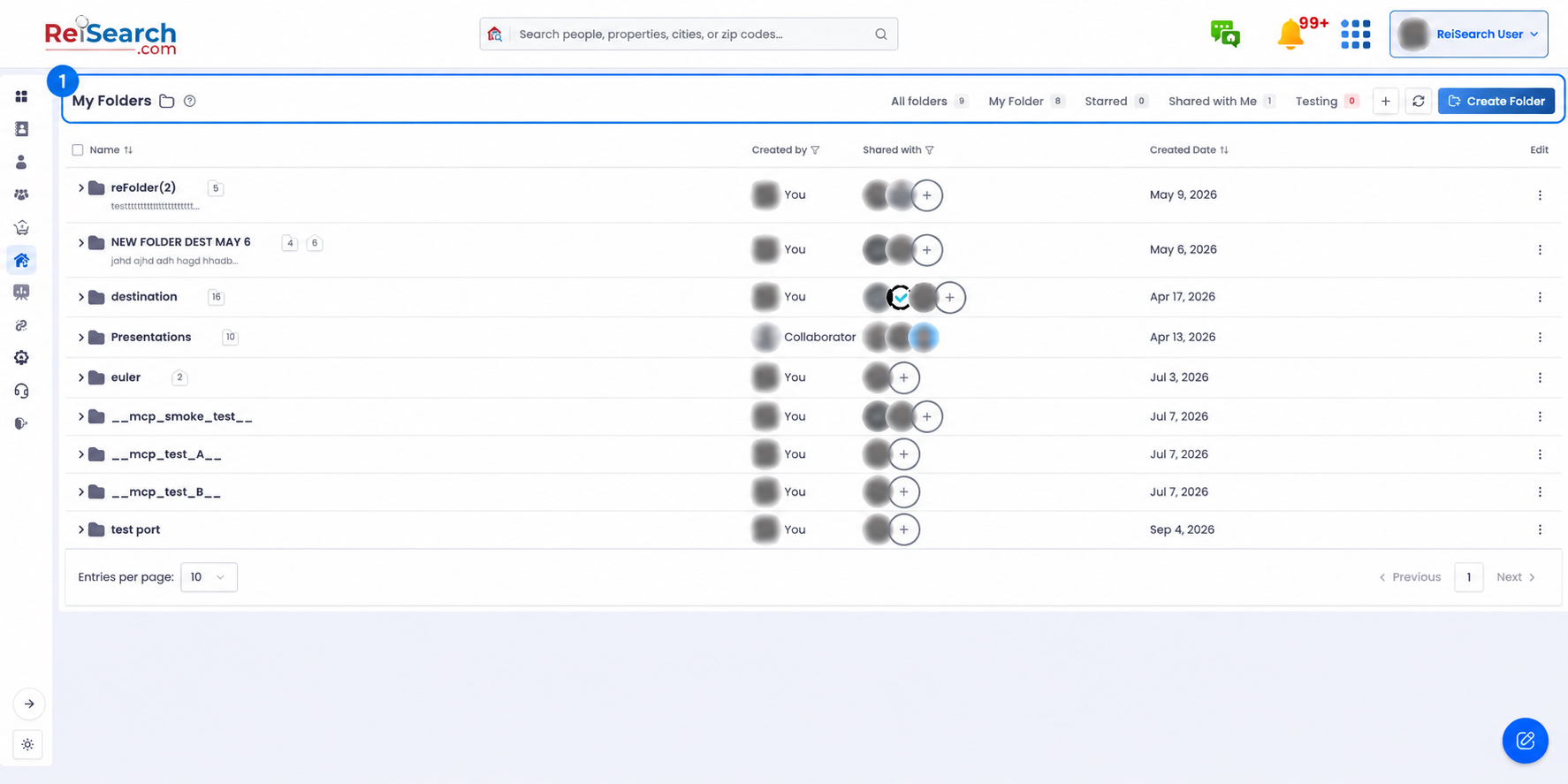
The Folders header: view tabs, then your category tabs, then the actions.
| View | Shows |
|---|---|
| All folders | Every folder you can access — yours plus ones shared with you. |
| My Folder | Only the folders you created and own. |
| Starred | Folders you’ve marked as favorites with the star icon. |
| Shared with Me | Folders other people have shared with you. |
Category tabs
After the four views you’ll see your category tabs in the same strip (each with its own color and count). Selecting a category filters the area to just the folders tagged with it. When you have more categories than fit, the extras collapse into a “More” dropdown at the end of the row. See Browse & filter by category for the full story.
On a phone?: On mobile the tabs collapse into a single dropdown to save space — tap it to switch between views and categories. The Create, Refresh, and New-category actions move into compact icon buttons beside it.
Refresh & create
- Create Folder — start a brand-new folder (see the next article).
- New category (the + button) — opens the category manager.
- Refresh — re-pulls your folders from the server if something looks out of date.