
Subfolders let you build a hierarchy — a parent folder with folders nested inside it. You can nest up to three levels deep, which is plenty to organize, say, a region → a buyer → a deal.
Start from the Dashboard
-
Sign in to ReiSearch and open the Dashboard.
-
Select Folders from the left navigation.
-
Find the parent folder on the My Folders page, open its ⋯ menu, and choose Add Sub-Folder.
Create a subfolder
-
Open the parent folder’s menu (the ⋯ icon on its row) and choose “Add Sub-Folder”.
-
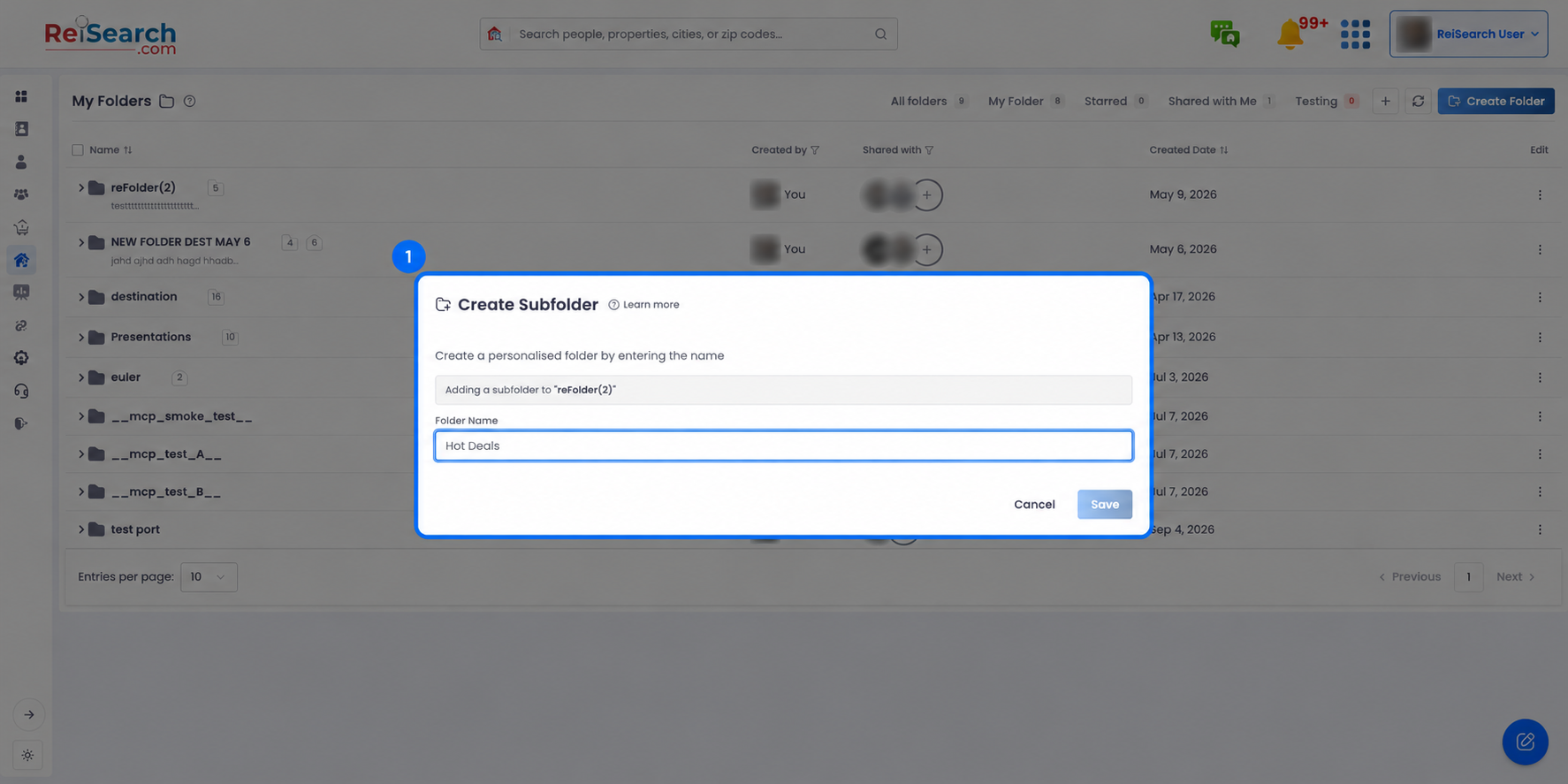
In the “Create Subfolder” dialog you’ll see a banner confirming “Adding a subfolder to …”. Type a Folder Name.
-
Click Save.
-
You’ll be asked “Include root members?” — choose Include to copy the parent folder’s members into the new subfolder, or Skip to start with no members.
Include vs. Skip: Include copies everyone who has access to the parent folder so they can see the subfolder too. Skip keeps the subfolder private to you until you share it. You can change members later from the folder’s permissions.
How deep can folders go?
Folders nest up to three levels. Once you reach the deepest level, the “Add Sub-Folder” option no longer appears on that folder’s menu — that’s expected, not a bug.