
A property thread is a conversation attached to a specific property. It works like a group chat, but it stays linked to the property — so every discussion about that deal lives in one place.
Where to find them
Open your inbox and switch to the Property Threads tab. Threads are grouped by property, so you can expand a property to see all of its conversations.
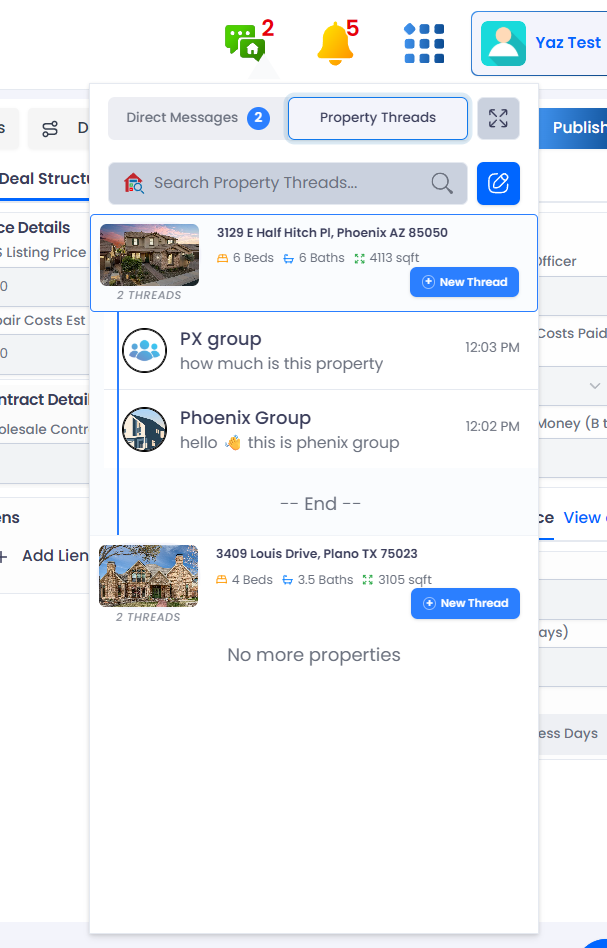
Open the Property Threads tab
Each property’s conversations are grouped under it
Tap New Thread to start a conversation about this property
Unread counts by property
Each property shows its own unread count, and the Property Threads tab shows a combined total — so you can tell at a glance which deals have new activity.
Starting a property thread
You can start a property thread from the new‑message menu by choosing Start Property Thread and picking the property first. See Start a conversation for the full walkthrough.