
Start from the Dashboard
- Sign in at reisearch.com/login. ReiSearch opens the Dashboard.
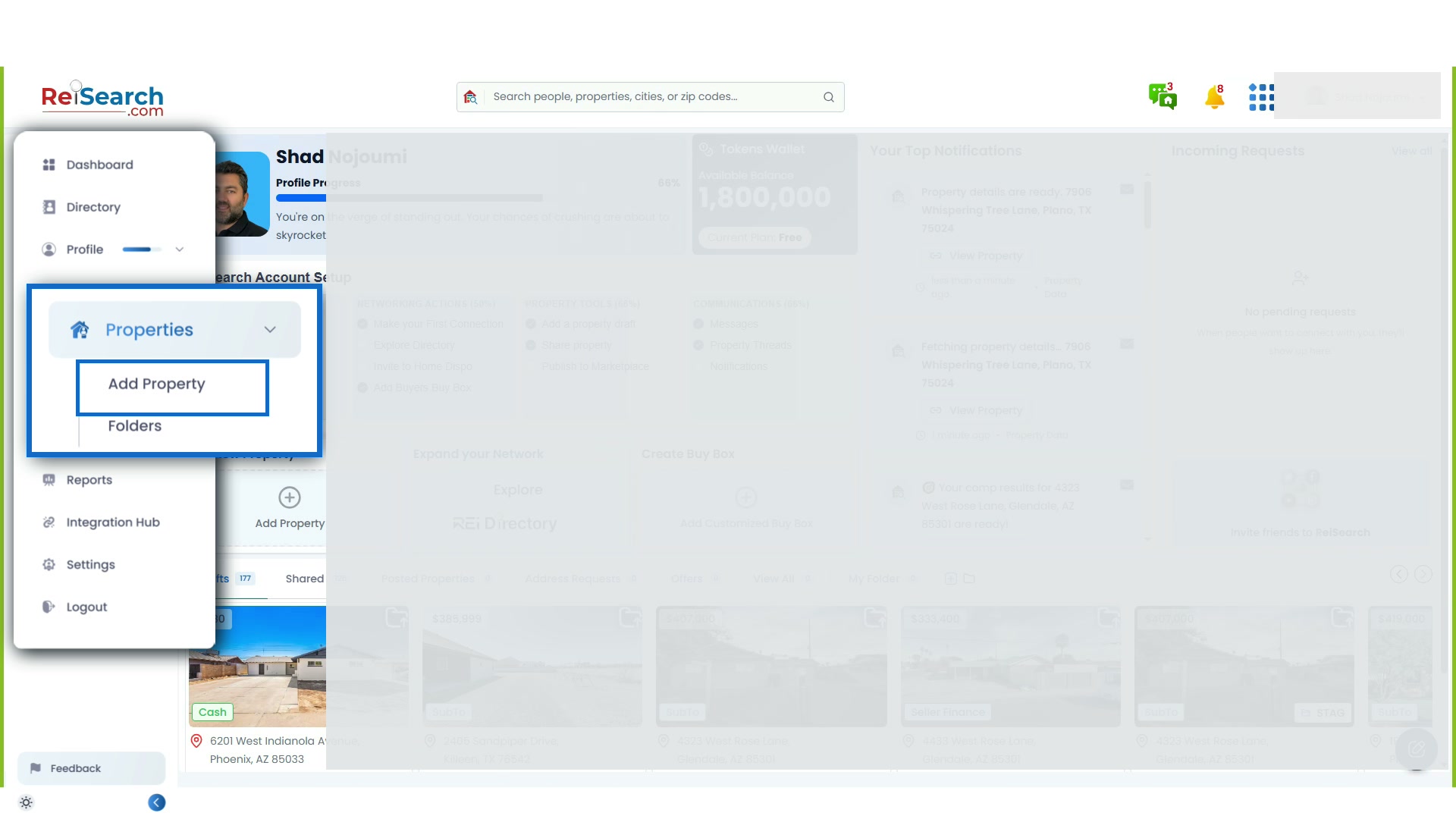
- Open Properties in the left navigation.
- Find the subject property and select its card.
- Wait for the property workspace to load.
Navigation path: Dashboard → Properties → Select a property
Confirm the subject before editing
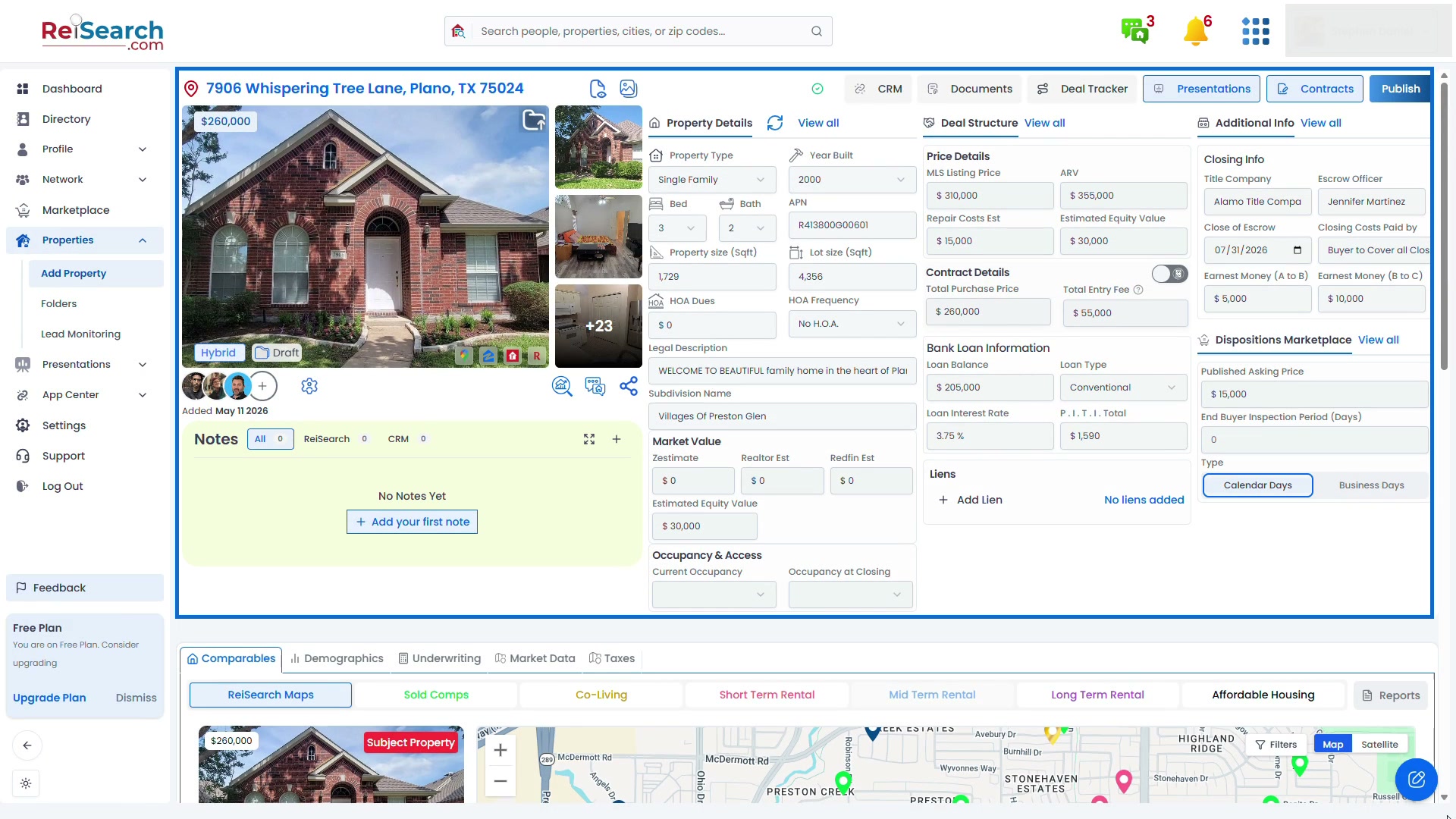
Check the property address and map first. If they do not match the intended subject, return to Properties and open the correct record instead of changing unrelated information.
Then compare the primary image and gallery with the address. Open the gallery to review the available media. Property images can be missing, incomplete, outdated, or unrelated when a source cannot confidently match the subject.
Review Property Details
Review the information available in Property Details, including:
- Property type
- Year built
- Bedrooms and bathrooms
- Building and lot area
- APN and legal-description information
- HOA information
- Available market-value estimates
Use the edit control for the section when you have permission and a more reliable source. Save the section, then confirm that the updated value appears in the workspace.
Review information that is specific to the deal
Automatically gathered property characteristics are different from the terms of a particular opportunity. Check these separately:
- Deal Structure: price, repairs, contract terms, financing, liens, and the selected Cash or Creative structure
- Additional Info: closing, access, occupancy, and walk-through details
- Dispositions Marketplace: information intended for a published or distributed opportunity
Do not copy an estimate into a deal field as if it were a confirmed term. Record the actual information from the seller, contract, lender, title company, inspection, or another authoritative source.
Treat missing information correctly
An empty value does not automatically mean zero, no, or not applicable. It can mean the source did not supply that field. Leave uncertain information empty until you can verify it rather than introducing a false value.
Before relying on the record, check the evidence appropriate to the decision, such as a listing, county record, contract, inspection, title information, lender terms, or direct confirmation from the parties involved.
Confirm the result
The property is ready for the next step when:
- The address, map, and images represent the intended subject
- Important property characteristics have been checked
- Deal-specific information is separated from automatically gathered research
- Unknown values remain clearly unknown
- Saved changes appear in the property workspace
Continue with the complete Property Workspace guide or run a real estate comp.
If something does not work
- You cannot edit a section: Ask the property owner or permission manager to review your property access.
- An image does not belong to the property: Open the gallery and remove or replace it if your permissions allow.
- A saved value changes back: Refresh the property once. If the verified change does not remain, contact ReiSearch Support.
- A field is unavailable: Record the verified information in the closest appropriate section or note, and avoid forcing it into an unrelated field.